Resize an image in centimetres
A size on paper, not in pixels — and the file says so.
Drop files here
or click to choose from your deviceAccepted: JPG, JPEG, PNG, WEBP, AVIF, GIF, BMP, HEIC, HEIF
Up to 3 files per runUp to 20 MB per file5 runs per dayRemove limits with Pro✓ Works offline
Your files stay on your device
This tool runs entirely in your browser. Nothing is uploaded, nothing is stored, and you can even turn off your internet connection before you start.
Example
Example: a 4000 × 3000 photo made 10 cm wide for a printed flyer
A landscape photo straight from a camera, 4000 × 3000 pixels: green hills under a blue sky with a yellow sun. Settings: Centimetres, 300 dpi (printing), width 10, height left empty, Fit inside, JPG.
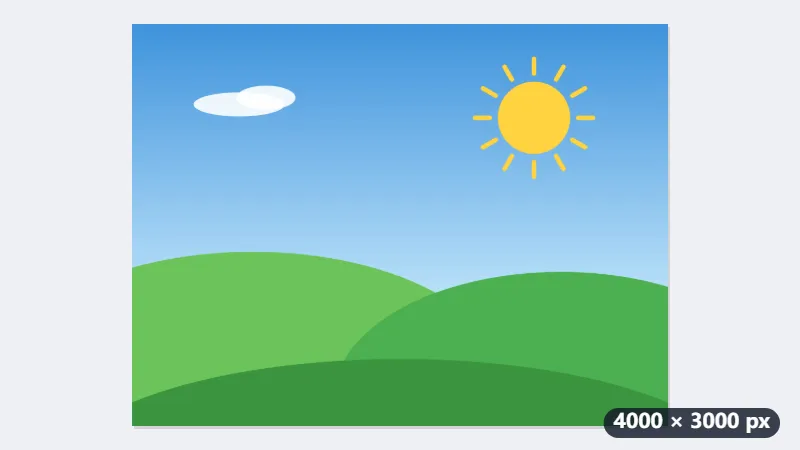
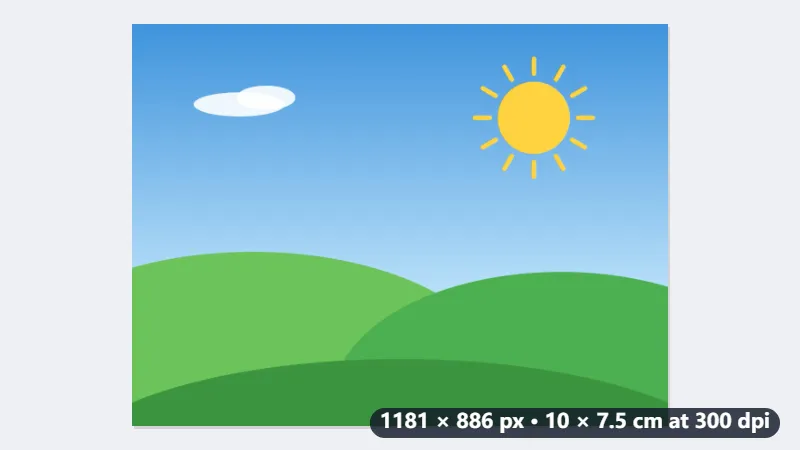
- 10 cm at 300 dpi is 10 ÷ 2.54 × 300 = 1181 pixels. With the height empty it follows the photo’s 4:3 shape: 886 pixels, which is 7.5 cm.
- The JPG is written saying 300 dpi, so Word or a print shop places it 10 × 7.5 cm. Read at Word’s 96 dpi, the same 1181 pixels would be 31.2 cm wide.
- Type 15 × 10 cm instead and the 4:3 photo is fitted inside the 1772 × 1181 box with a white strip of about 98 pixels (0.8 cm) at each side; Fill and crop fills the box edge to edge instead.
| Print size | Pixels at 300 dpi | At 150 dpi |
|---|---|---|
| 10 × 15 cm | 1181 × 1772 | 591 × 886 |
| 13 × 18 cm | 1535 × 2126 | 768 × 1063 |
| A4, 21 × 29.7 cm | 2480 × 3508 | 1240 × 1754 |
| 4 × 6 in | 1200 × 1800 | 600 × 900 |
| 5 × 7 in | 1500 × 2100 | 750 × 1050 |
| 8 × 10 in | 2400 × 3000 | 1200 × 1500 |
| 35 × 45 mm | 413 × 531 | 207 × 266 |
One 1181 × 886 JPG that prints exactly 10 × 7.5 cm. The photo had pixels to spare; a picture only 1000 pixels wide would have to be enlarged to reach 10 cm at 300 dpi and would look soft.
How it works
- Add the picture.
- Choose centimetres, millimetres or inches, and the resolution you are printing at — 300 dpi for print, 150 for a rough copy.
- Type the width, the height, or just one of them to keep the proportions.
- Download. The file carries the resolution, so Word, InDesign and a print shop place it at the size you asked for.
Frequently asked questions
- Why does the resolution matter?
- Because “10 cm wide” is not a property of pixels. A picture is 10 cm wide when its pixels and its stated resolution say so: 1181 pixels at 300 dpi. Without a stated resolution, Word assumes 96 dpi and places the same picture three times too big.
- Which formats carry the resolution?
- PNG (in a pHYs chunk) and JPEG (in the JFIF header). WebP has no simple way to carry it, so save as PNG or JPEG when the physical size matters.
- What resolution should I choose?
- 300 dpi for anything printed properly, 150 for a rough office print, 600 for line art and fine detail. For the screen, use pixels rather than centimetres — screens do not have a real size.
- Will it make a small picture bigger?
- It will scale it up, and a picture enlarged past its own detail looks soft. 10 cm at 300 dpi needs about 1200 pixels to start with.
- How many pixels is 10 × 15 cm?
- 1181 × 1772 at 300 dpi and 591 × 886 at 150 dpi. The tool works it out as centimetres ÷ 2.54 × dpi, rounded to the nearest pixel; A4 at 300 dpi is 2480 × 3508.
- What if my photo is not the shape of the size I type?
- With Fit inside it is fitted into the size without being cut, and the rest is filled white in a JPG (transparent in a PNG). Fill and crop fills the size and cuts off what overflows; Stretch distorts it to fit. Type only the width or the height to keep the photo’s own shape.
Made for a specific use
- Instagram post size
- Instagram portrait size
- Instagram Story size
- YouTube thumbnail size
- X post image size
- X header size
- Facebook cover size
- LinkedIn banner size
- LINE profile picture size
- TikTok size
- Pinterest pin size
- Facebook link preview size
- YouTube banner size
- Passport photo size
- My Number card photo size
- 30×40 mm ID photo
- 45×60 mm ID photo
- A4 at 300 dpi
- DNI photo size
- 50×60 mm biometric photo
- Argentine 4x4 photo
- Web résumé photo (450 × 600 px)
- Tamaño infantil photo (2.5 × 3 cm)
- 5×7 cm photo
- US visa photo size
- Bulk resize images
- Resize image in pixels and KB