Make a passport photo print sheet
One photo, framed once, repeated on photo paper at 300 dpi. Several ID photos for the price of one print.
Drop files here
or click to choose from your deviceAccepted: JPG, JPEG, PNG, WEBP, AVIF, GIF, BMP, HEIC, HEIF
One file per runUp to 20 MB per file5 runs per dayRemove limits with Pro✓ Works offline
Your files stay on your device
This tool runs entirely in your browser. Nothing is uploaded, nothing is stored, and you can even turn off your internet connection before you start.
Example
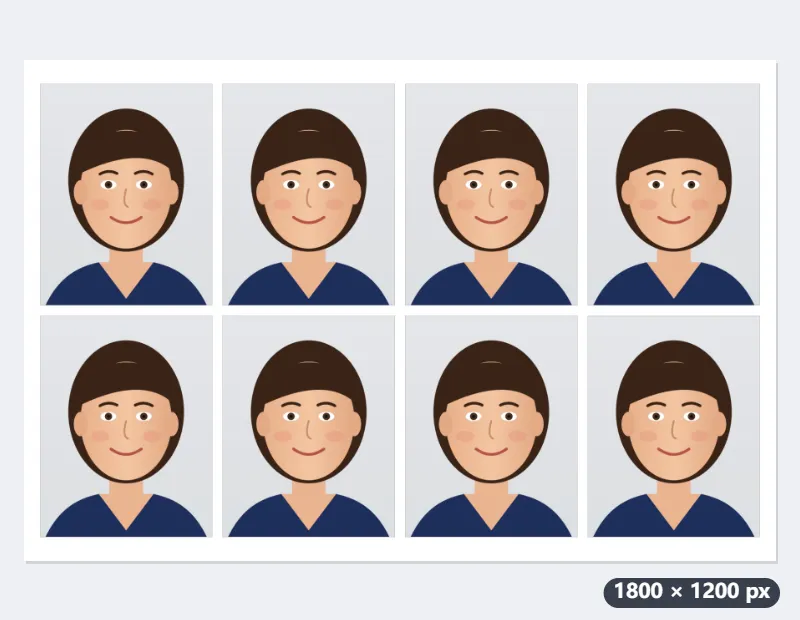
Example: eight UK passport photos, 35 × 45 mm, on one 6 × 4 print
A portrait photo, 3000 × 4000 pixels (passport.jpg): head and shoulders of a person in a dark blue top against a light grey background. Photo size “35×45 mm (passport: EU, UK, Japan)”, paper “4×6 in (102×152 mm)”, spacing “2 mm margin and gaps”, light cut lines on.
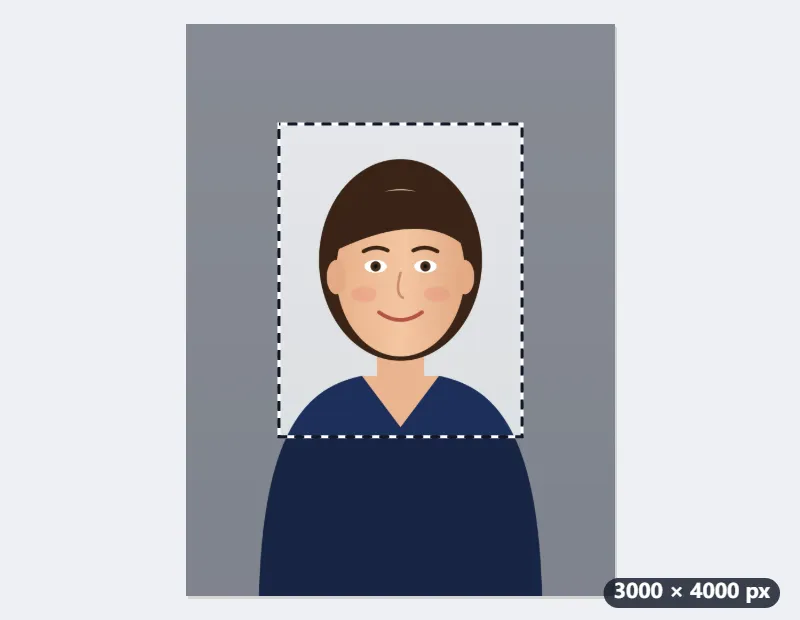
- Drop the photo: a frame locked to 35:45 appears on it.
- Shrink the frame from a corner and move it over the head and shoulders, with a little space above the hair.
- Press Make print sheet and download the JPEG.
| Result | Value |
|---|---|
| Each photo | 413 × 531 pixels (35 × 45 mm at 300 dpi) |
| Sheet | 1800 × 1200 pixels, 6 × 4 in landscape, white |
| Layout | 4 across × 2 down = 8 photos, centred |
| Between photos | 24 pixels (2 mm) |
| Cut lines | a 1-pixel light grey line round each photo |
| File name | passport-4x6-35x45-x8.jpg |
At a photo kiosk, order one 6 × 4 print at actual size and cut along the lines: eight passport-size photos. A 7 × 5 print holds nine with safe spacing, and an A4 page printed at home thirty. Whether a photo printed this way is accepted is up to the office you send it to.
How it works
- Drop one photo taken against a plain, light background, facing the camera.
- Choose the photo size your application asks for and the paper you will print on. A frame locked to that size appears on the photo.
- Move the frame and pull its corners so your head and shoulders sit inside it, then press Make print sheet.
- Download the JPEG and print it at full size on photo paper, at a photo kiosk or at home with scaling turned off. Cut along the light lines.
Frequently asked questions
- How many photos fit on one sheet?
- It depends on the sizes. Six 2×2 inch photos fill a 4×6 sheet edge to edge. With safe spacing, an L-size sheet holds four 35×45 mm passport photos or six 30×40 mm résumé photos, and a 5×7 sheet nine passport photos. The downloaded file name includes the count.
- Will it print at the right size?
- The sheet is exactly the paper size at 300 dpi, and the file is marked as 300 dpi. At a kiosk, choose the matching print size; at home, choose actual size or 100%, not fit to page. Measure one photo with a ruler before cutting the rest.
- When should I use edge to edge?
- Many printers trim a millimetre or two from the edges of a borderless print, so safe spacing keeps every photo clear of the edge. Edge to edge fits more copies, like the usual 4×6 templates, but needs a printer that prints borderless without cropping.
- Does the tool check the photo rules?
- No. It sizes and repeats the photo exactly, but rules on head size, background, glasses and expression differ by country and are checked when you apply. Frame the photo so the head fills most of the height, with a little space above the hair.
- Can I use a photo straight from my iPhone (HEIC)?
- Yes. Browsers cannot read HEIC on their own, so a small WebAssembly decoder loads the first time you bring one; after that it works offline like everything else here, and the photo still never leaves your device. The result is saved as JPG, because HEIC is not a format a browser can write.
- How many 2×2 inch US passport photos fit on a 4×6 print?
- Six edge to edge (2 across × 3 down, filling the sheet), but only two with safe spacing (1 across × 2 down), because the 2 mm margins leave no room for a second column. If the kiosk prints borderless without cropping, choose Edge to edge; otherwise a 5×7 print holds six with safe spacing, and US Letter twenty.
- Is my photo uploaded?
- No. Cropping and tiling happen in your browser, which matters for a picture of your face. The free plan allows 20 MB per file and 5 runs per day.