26 × 32 mm photo sheet
The DNI size, 12 to a print.
Drop files here
or click to choose from your deviceAccepted: JPG, JPEG, PNG, WEBP, AVIF, GIF, BMP, HEIC, HEIF
One file per runUp to 20 MB per file5 runs per dayRemove limits with Pro✓ Works offline
Your files stay on your device
This tool runs entirely in your browser. Nothing is uploaded, nothing is stored, and you can even turn off your internet connection before you start.
Example
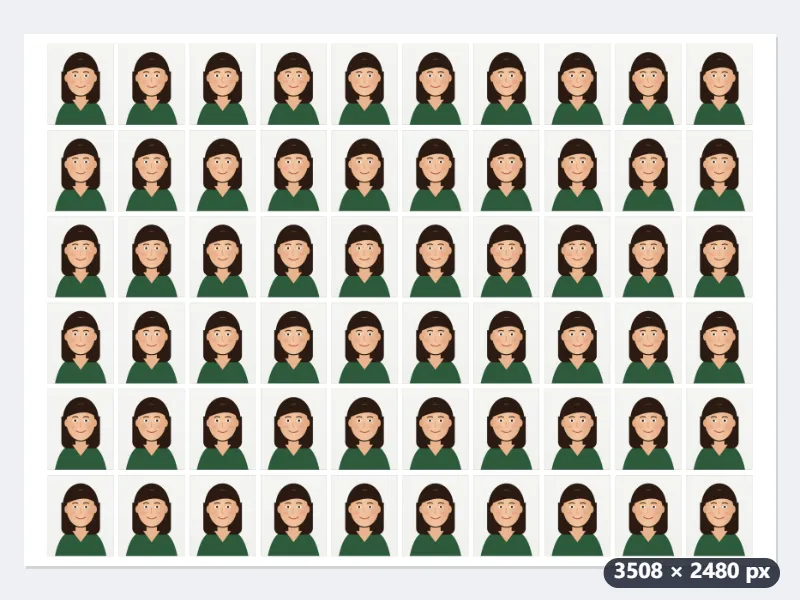
Example: 60 photos of 26 × 32 mm on one A4 sheet, printed at home in Spain
Emma, a British student starting a year at a university in Valencia, needs carné-size photos for her student card, a gym membership and the monthly transport pass; she makes them 26 × 32 mm, the size of the Spanish DNI. Her printer cannot print borderless and she has A4 photo paper. Settings: Paper A4 (210×297 mm), Spacing 2 mm margin and gaps, cut lines on.
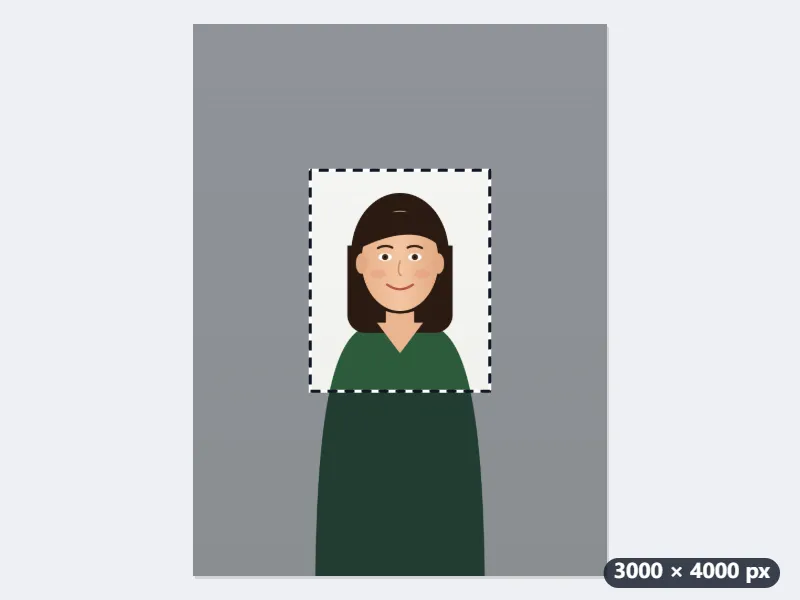
- She chooses the photo from her phone, emma-photo.jpg, and drags the 26 : 32 frame over her head and shoulders.
- On A4 the sheet turns landscape by itself, because more fit that way: 3508 × 2480 pixels at 300 dpi, 10 columns × 6 rows = 60 photos of 307 × 378 pixels each.
- She prints at 100 % with “fit to page” off and measures the first photo with a ruler: 26 mm wide, 32 mm tall.
| Paper | With 2 mm gaps | Edge to edge |
|---|---|---|
| L size, 3.5 × 5 in | 9 photos (3 × 3) | 9 photos |
| 4 × 6 in | 12 photos (3 × 4) | 15 photos (5 × 3, landscape) |
| 5 × 7 in | 20 photos (4 × 5) | 20 photos |
| A4 | 60 photos (10 × 6, landscape) | 72 photos (8 × 9, portrait) |
emma-photo-A4-26x32-x60.jpg: photos for the whole year on one sheet. Edge to edge fits 72, but the outer photos then sit 1 mm from the paper’s edge, and a printer that leaves a margin would cut into them: that needs borderless printing.
How it works
- Choose the photograph. The frame is locked to 26 × 32 mm, so what you drag is exactly what gets printed.
- Pick the paper you will actually print on. 10 × 15 cm holds 12 copies; A4 holds 60.
- Leave the cutting guides on unless you are trimming by eye — each is a thin grey line one pixel wide on the very edge of a photograph.
- Download and print at 100 %. Any “fit to page” setting resizes the sheet, and then the photographs are no longer 26 × 32 mm.
Frequently asked questions
- Will the photographs come out the right size?
- Yes, if you print at 100 %. The sheet is drawn at 300 dpi and each photograph is exactly 26 × 32 mm on it. The one thing that breaks that is a printer dialog scaling the page to fit, so turn that off and measure the first one with a ruler before you cut.
- Can I take this to a shop or a convenience store?
- That is what it is for. The file is a plain image of a 10 × 15 cm print, so a kiosk or a photo counter prints it like any other photograph. Ask for it at actual size and not “fit to frame”.
- Why the gaps, and what are the thin lines?
- The gaps are a 2 mm margin so that a printer trimming the edge does not cut into a photograph. The thin grey lines run along the very edge of each picture, one pixel wide (under 0.1 mm at 300 dpi): cut on the line and the photo measures exactly 26 × 32 mm. If you would rather pack them tight, set the spacing to edge to edge.
- My form wants a different size.
- Then use the main ID photo sheet, which offers every size this one is one of. This page fixes 26 × 32 mm on purpose: a sheet that quietly came out at another size would be found out at the counter, not here.
- How many pixels is each photo?
- 307 × 378 pixels. The sheet is saved at 300 dpi, and at that resolution 307 × 378 pixels prints as 26 × 32 mm, which is why printing at 100 % matters.
- Can I print it on US Letter paper?
- Yes: choose US Letter (8.5 × 11 in). A Letter sheet holds 56 photos of 26 × 32 mm; print it at 100 %, actual size, so they keep their 26 × 32 mm. For a photo counter, 4 × 6 in holds 12.
- Is the photograph uploaded?
- No. The sheet is drawn in your browser and the photograph never leaves your device — which is the part that matters for a picture of your own face attached to an application.