Argentine DNI photo (4 × 4 cm)
Exactly 4 × 4 cm at 300 dpi. The photo never leaves your computer.
Drop files here
or click to choose from your deviceAccepted: JPG, JPEG, PNG, WEBP, AVIF, GIF, BMP, HEIC, HEIF
Up to 3 files per runUp to 20 MB per file5 runs per dayRemove limits with Pro✓ Works offline
Your files stay on your device
This tool runs entirely in your browser. Nothing is uploaded, nothing is stored, and you can even turn off your internet connection before you start.
Example
Example: 4 × 4 cm photos for an exchange student enrolling in Córdoba
Chloe (fictitious), an exchange student enrolling at a university in Córdoba, Argentina, is asked for two 4 × 4 cm photos. Her flatmate takes one on a phone, upright, against a plain white wall: chloe.jpg, 3024 × 4032 pixels.
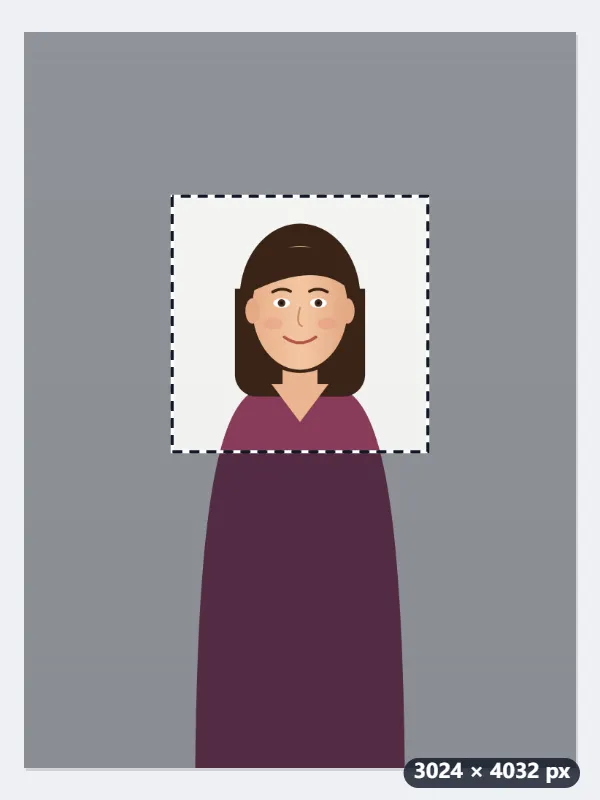
- Drop the photo: a square frame appears as large as it fits, 3024 × 3024 pixels, centred, which leaves her head small in the middle.
- Pull a corner in and move the frame until her face is centred, with a little room above the head and the shoulders below: a square of 1400 × 1400 pixels.
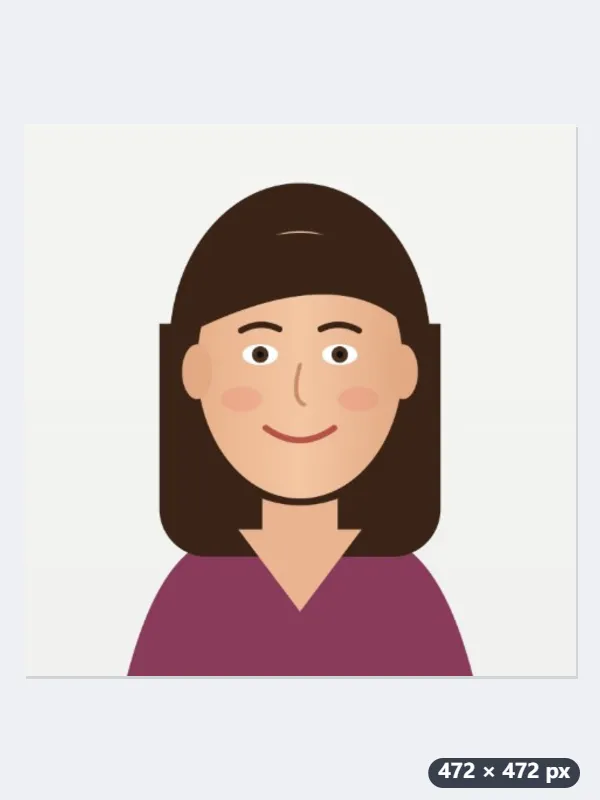
- Press Make 4x4 photo: the square becomes 472 × 472 pixels, marked 300 dpi, which prints at 39.96 mm, the closest whole number of pixels to 4 cm.
- For several copies, open Photo print layout with My own size, 40 × 40 mm, and cut lines: 24 fit on one A4 or US Letter sheet, 4 across and 6 down.
chloe-472x472.jpg. Printed at 100%, not “fit to page”, each photo is 4 × 4 cm; from the sheet of 24 she has spares for the next form.
How it works
- Photograph yourself straight on against a plain, light wall in even light, with no shadow behind you.
- Drop it here. A square frame appears: move it so the face is centred with a little room above the head.
- Press Make 4x4 photo. The result is 472 × 472 pixels, which is 4 × 4 cm at 300 dpi.
- Download and print at 4 × 4 cm, or fill a sheet with Photo print layout, set to My own size, 40 × 40 mm.
Frequently asked questions
- Why 4 × 4 and not 35 × 45 mm?
- Because Argentina uses a square, not the European rectangle. Cropping a 35 × 45 photo down to a square leaves the head at a different proportion, so it is better to frame for 4 × 4 from the start than to adapt a photo made for somewhere else.
- Does the same photo work for the DNI and the passport?
- The size is the same for both. What differs between offices is everything around it — how recent the photo is, expression, glasses, background — and that is set by RENAPER. Read their requirements before printing, because a photo of the right size in the wrong pose comes back either way.
- What should the background be?
- Plain and light. This page crops and scales the photo but does not change the background: if the wall has texture or a shadow, run the photo through ID photo white background first, then crop it here. Even so, photographing against an even wall beats replacing the background afterwards, because the edge of the hair always suffers a little.
- How many fit on one sheet?
- Twenty-four. In Photo print layout choose My own size, 40 × 40 mm, with cut lines: 4 across and 6 down, 4 mm apart, on A4 or US Letter alike. Print at 100%, not “fit to page”, or the photos come out the wrong size.
- Is 472 × 472 exactly 4 cm?
- To within 0.04 mm: 472 pixels at 300 dpi is 39.96 mm, and the file is marked 300 dpi, so photo software opens it at 4 × 4 cm. 473 pixels would be 40.05 mm; 472 is the closest whole number.
- Is the photo uploaded?
- No. The crop happens inside the browser and the image is never sent to a server.
Made for a specific use
- Instagram post size
- Instagram portrait size
- Instagram Story size
- YouTube thumbnail size
- X post image size
- X header size
- Facebook cover size
- LinkedIn banner size
- LINE profile picture size
- TikTok size
- Pinterest pin size
- Facebook link preview size
- YouTube banner size
- Passport photo size
- My Number card photo size
- 30×40 mm ID photo
- 45×60 mm ID photo
- A4 at 300 dpi
- DNI photo size
- 50×60 mm biometric photo
- Web résumé photo (450 × 600 px)
- Tamaño infantil photo (2.5 × 3 cm)
- 5×7 cm photo
- US visa photo size
- Bulk resize images
- Resize image in pixels and KB
- Resize an image in centimetres