Make a transparent signature
A photo of your handwritten signature becomes a clean PNG with a transparent background.
Drop files here
or click to choose from your deviceAccepted: JPG, JPEG, PNG, WEBP, AVIF, GIF, BMP, HEIC, HEIF
Up to 3 files per runUp to 20 MB per file5 runs per dayRemove limits with Pro✓ Works offline
Your files stay on your device
This tool runs entirely in your browser. Nothing is uploaded, nothing is stored, and you can even turn off your internet connection before you start.
Example
Example: a biro signature photographed at night under a lamp, ready for a PDF form
To sign a tenancy renewal sent as a PDF, someone signs in black biro on printer paper and photographs it with a phone in the evening: signature.jpg, 4000 × 3000 pixels. Under the lamp the paper comes out yellowish grey and darker in the bottom right, where the phone’s shadow falls. The ink covers about 1800 × 600 pixels in the middle.
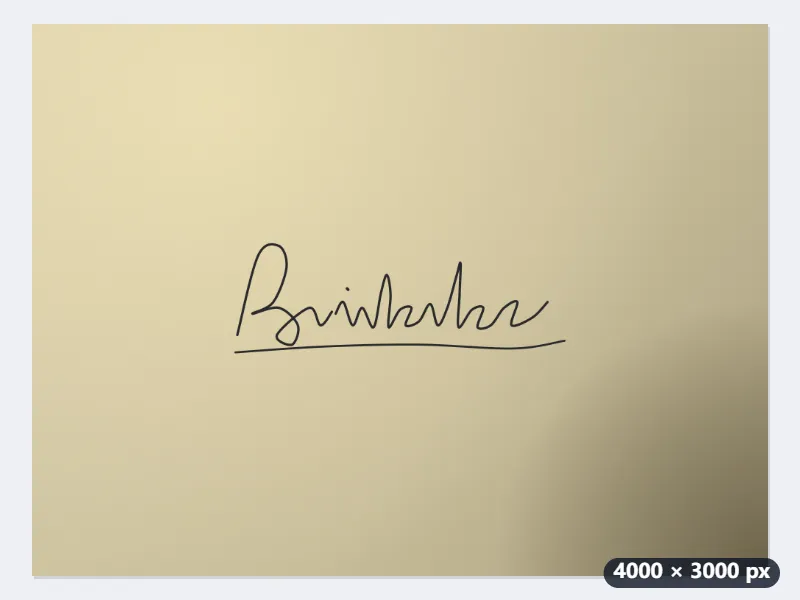
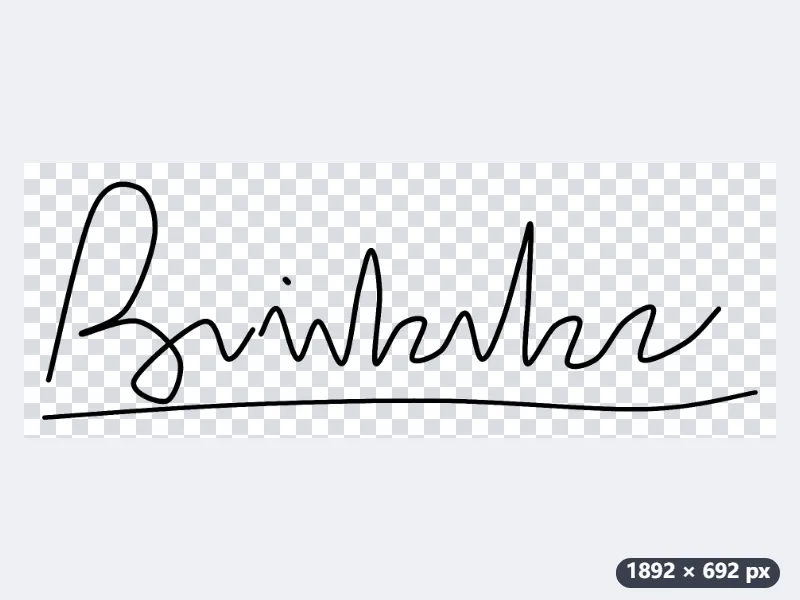
- Drop the photo. White or paper and Crop to the content are already on, and the clean-up strength is 5.
- Under Colour of what is kept choose Black: the greyish biro strokes become solid black, and their soft edges stay semi-transparent so they do not look jagged.
- Set the space around the content to 10 px and press Make signature transparent.
| Step | Size |
|---|---|
| Photo | 4000 × 3000 px |
| The signature’s ink | about 1800 × 600 px |
| Cropped (2 % of 1800 px = 36 px each side) | 1872 × 672 px |
| With 10 px of space | 1892 × 692 px |
signature-transparent.png, 1892 × 692 pixels: the signature alone in black, no paper, no shadow, cropped close to the ink. Place it on the signature line in your PDF editor and scale it down to the line’s width.
How it works
- Sign with a dark pen on plain white paper and take a photo from straight above in good light.
- Drop the photo onto the box. Crop to the content is already on.
- Press Make signature transparent. Choose Black or Navy if you want an even ink colour.
- Download the PNG and place it in your document or PDF editor.
Frequently asked questions
- Why keep my signature away from online tools?
- Anyone who has the image file can reuse your signature. This tool processes the photo in your browser, so the signature is never sent to a server and no copy exists anywhere but on your device.
- The paper looks grey in my photo. Will it still work?
- Yes. The tool estimates the paper colour across the photo, so grey or unevenly lit paper still becomes transparent. If shadows remain, raise the clean-up strength.
- Is a pasted signature image legally valid?
- That depends on the document and the country. A pasted image is accepted for many everyday forms, but contracts that require an electronic or qualified signature need a proper e-signature service.
- Black, Navy or Keep original colours?
- Keep original colours keeps the pen as the camera saw it, often a greyish or uneven blue. Black or Navy turns every stroke into one even colour, which looks like real ink on a printed form; the edges stay soft either way. Choose Navy for a blue pen.
- What are the free limits?
- The free plan handles 3 images per run, 20 MB each and 5 runs per day. Pro removes these limits.