Handwriting on a transparent background
The paper goes, the strokes stay — including the thin ones. Nothing is uploaded.
Drop files here
or click to choose from your deviceAccepted: JPG, JPEG, PNG, WEBP, AVIF, GIF, BMP, HEIC, HEIF
Up to 3 files per runUp to 20 MB per file5 runs per dayRemove limits with Pro✓ Works offline
Your files stay on your device
This tool runs entirely in your browser. Nothing is uploaded, nothing is stored, and you can even turn off your internet connection before you start.
Example
Example: a handwritten recipe card from a phone photo, cropped to the writing
note.jpg, a 3024 × 4032 phone photo of a recipe card written in dark blue biro on white paper, which the photo turns light grey (245). The writing is a block of about 2400 × 1500 pixels. Settings as the page opens: strength 4, crop to the content on.
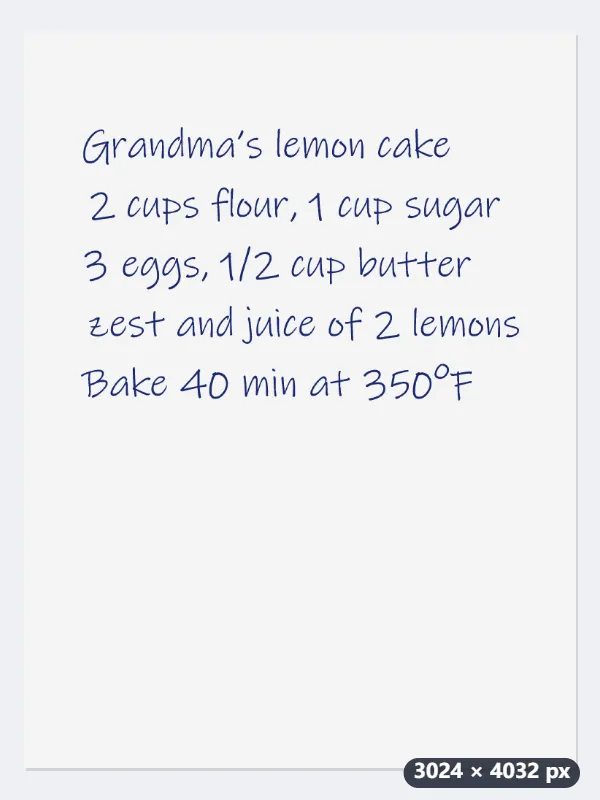
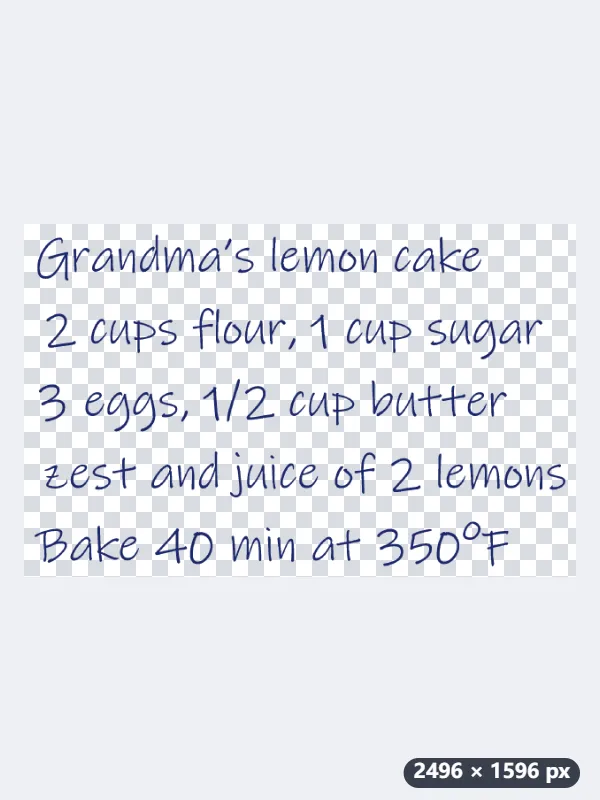
- The paper becomes transparent; the biro strokes, far darker than the paper, stay solid.
- The crop finds the box around the writing and adds 2% of its longer side, 48 px, on every side: 2400 × 1500 becomes 2496 × 1596 pixels.
- Download note-transparent.png and put it on a card, a scrapbook page or a slide.
| Stroke (grey value, paper 245) | Kept at strength 3 | At 4 | At 5 |
|---|---|---|---|
| Dark pen (30) | 100% | 100% | 100% |
| Soft pencil (120) | 100% | 93% | 85% |
| HB pencil (170) | 49% | 42% | 34% |
| Light pencil (200) | 18% | 11% | 4% |
| Shadow or grain (228) | gone | gone | gone |
A 2496 × 1596 transparent PNG with nothing but the writing. Pencil notes keep more of their strokes here: light pencil stays at 11% at strength 4, where the signature page’s 5 leaves 4%.
How it works
- Photograph or scan the page in even light, straight on. Thin pencil needs more light than ink does.
- Drop it here. The white of the paper becomes transparent and the writing stays.
- Raise the strength if grey paper or a shadow survives; lower it if thin strokes are breaking up. The starting point is gentler than the signature page for exactly that reason.
- Trimming is on, so the result is cropped to the writing itself rather than to the whole sheet.
Frequently asked questions
- Why not use the signature page?
- Because a signature is usually written with a heavier pen and a firmer hand than a page of notes. The signature page starts at a threshold that removes more, which on faint pencil eats the strokes. This one starts gentler and leaves the decision about how far to go with you.
- My pencil writing is disappearing.
- Lower the strength and photograph the page again in brighter, flatter light. Pencil is grey, not black, so the gap between the writing and the paper is small to begin with; more light widens it. If the page is also crooked or unevenly lit, run it through the scan cleanup first and bring the result here.
- Can I use it on ruled or squared paper?
- The rules come out too, since they are printed in ink like the writing. On pale blue or grey ruling you can often keep the writing and lose the lines by raising the strength a little, because the ruling is lighter than the pen; on dark ruling they go together.
- How big is the result?
- The size of the writing plus a margin. With “Crop to the content” on, the picture is cut to the smallest box around the strokes, and 2% of that box’s longer side is added on each side: 2400 × 1500 pixels of writing comes out at 2496 × 1596. Untick it to keep the whole photo’s size.
- Is my page uploaded?
- No. The picture is processed inside the browser tab and never leaves your computer, which matters rather more for a page of notes than for most files.