Korean passport photo (35 × 45 mm)
The size the counter measures, with the head measured to match.
Drop files here
or click to choose from your deviceAccepted: JPG, JPEG, PNG, WEBP, AVIF, GIF, BMP, HEIC, HEIF
Up to 3 files per runUp to 20 MB per file5 runs per dayRemove limits with Pro✓ Works offline
Your files stay on your device
This tool runs entirely in your browser. Nothing is uploaded, nothing is stored, and you can even turn off your internet connection before you start.
Example
Example: a phone photo cut to 35 × 45 mm with the head at 34 mm
A phone photo, 3000 × 4000 pixels: a person (shown here as a simple drawn figure with dark hair and a navy top) facing straight on against an off-white wall, with plenty of wall above the head. From chin to the top of the hair the head is 950 pixels. Background: Keep the photo’s own.
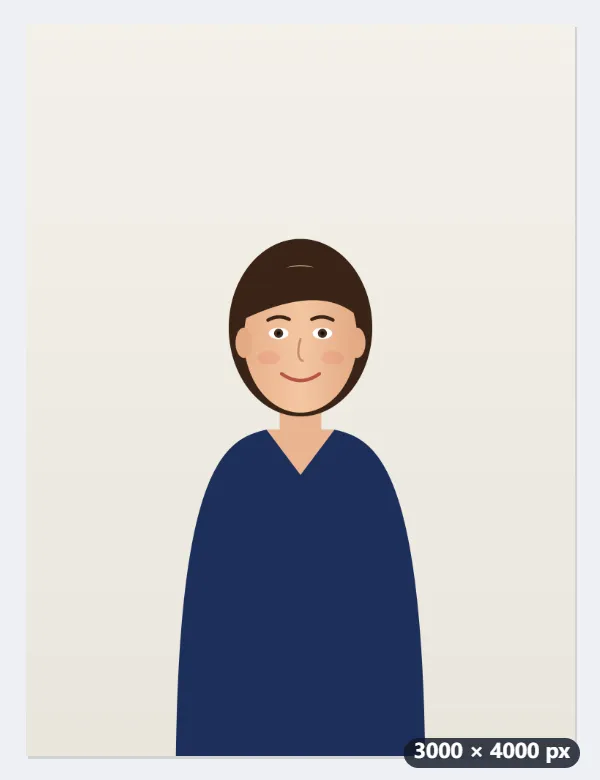
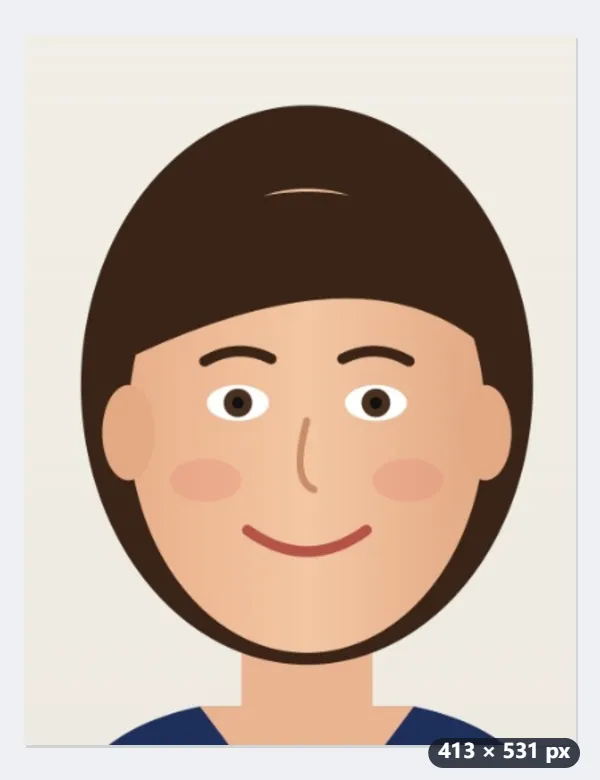
- The face is found, which gives the chin; the top of the hair comes from the cut-out of the person. Here: 950 pixels from chin to crown.
- The print is 35 × 45 mm at 300 dpi, 413 × 531 pixels, and the head is set to the middle of the 32–36 mm range: 34 mm, 401 pixels.
- So an area of 978 × 1,257 pixels around the face, starting 123 pixels above the hair, is cut out and scaled down to 413 × 531.
- The 11 mm left over is split 40 % above the head and 60 % below the chin.
| Measure | On the finished photo |
|---|---|
| Photo | 35 × 45 mm, 413 × 531 pixels at 300 dpi |
| Head, chin to top of the hair | 34 mm (allowed: 32–36 mm) |
| Space above the hair | 4.4 mm |
| Chin to the bottom edge | 6.6 mm |
| Background | The off-white wall, as it was |
A JPEG named photo-korea-photo.jpg (for a photo called photo.jpg), marked as 300 dpi so it prints at exactly 35 × 45 mm. Print it at that size, or fill a 4 × 6 inch sheet with the ID photo sheet tool.
How it works
- Photograph yourself straight on against a plain, light wall with even light and no shadow behind you.
- Drop the photo here. The head is laid out to measure 32 to 36 mm on a 35 × 45 mm print.
- Set the background to white if the wall is not plain enough; leave it alone if it already is.
- Download and print at 35 × 45 mm, or fill a 4 × 6 inch sheet with the ID photo sheet tool.
Frequently asked questions
- Is this the same as the 증명사진 used on a Korean résumé?
- No. The résumé photo is usually 30 × 40 mm; the passport size is 35 × 45 mm and the head range is set more tightly. If you need the résumé size, use the 30 × 40 mm page instead.
- Will a photo made at home be accepted?
- The size and head measurement are what this guarantees. How recent the photo is, expression, background, whether ears and hairline are visible and how glasses are treated are judged when you apply, and the rules are published by the Ministry of Foreign Affairs. Check them before printing.
- Does it work for a Korean visa application?
- Korean visa photos generally use the same 35 × 45 mm size, but each mission publishes its own requirements and some ask for a specific file size for online submission. Use this for the print; read the mission's page for anything else.
- What size is a Korean passport photo in pixels?
- At 300 dpi, 35 × 45 mm is 413 × 531 pixels, which is the file this makes, with the 300 dpi written into it so it prints at the right size. The head, chin to the top of the hair, comes out at 34 mm, about 401 pixels.
- Can I use a close-up selfie?
- Often. If the photo ends close above the head or beside the shoulders, the missing strip — up to a fifth of the picture — is filled with plain background: the wall’s own colour, or the colour you choose. What cannot be filled is room below the chin: a photo cut off at the neck gets the message to take one that shows the shoulders.
- Is the photo uploaded?
- No. Face detection and cropping happen in the browser tab; the picture never leaves your computer.