Photo collage maker
Several photos, one image.
Drop files here
or click to choose from your deviceAccepted: JPG, JPEG, PNG, WEBP, AVIF, GIF, BMP, HEIC, HEIF
Up to 12 files per runUp to 20 MB per file5 runs per dayRemove limits with Pro✓ Works offline
Your files stay on your device
This tool runs entirely in your browser. Nothing is uploaded, nothing is stored, and you can even turn off your internet connection before you start.
Example
Example: four photos in a 2 × 2 grid, and why 3 columns would leave a gap
Four phone photos, all landscape 4032 × 3024: a lake below mountains, a beach with a palm tree, a city skyline at night and sunflowers in a blue vase, to go out as one picture. This page starts at 3 columns, 8 px spacing and a white background; for four photos, set Columns to 2.
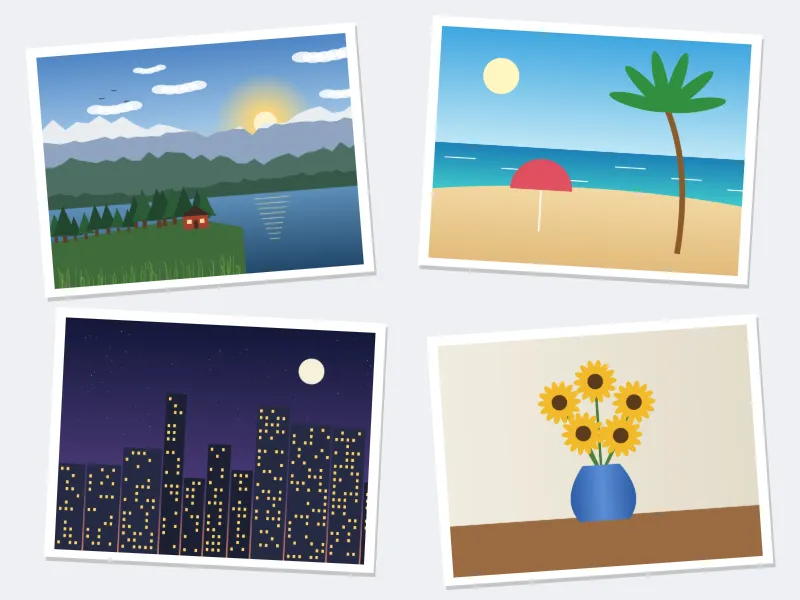
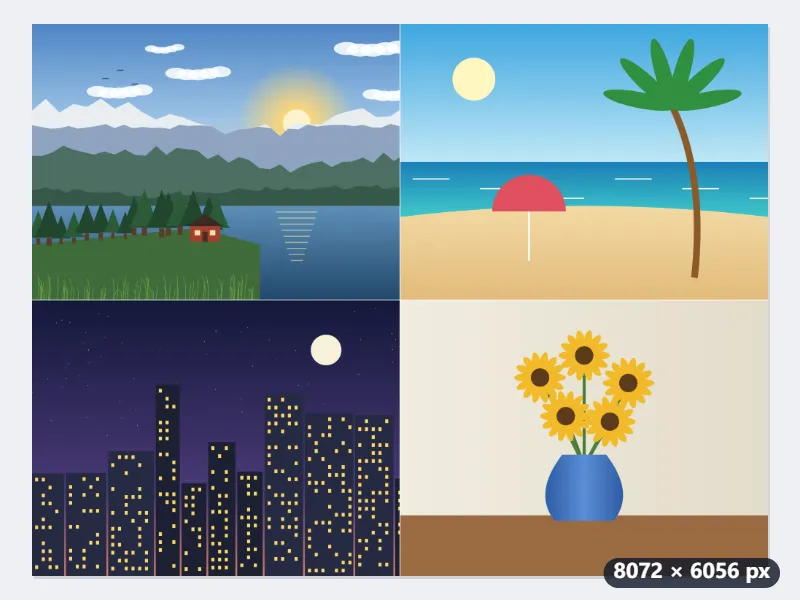
- Add the photos in the order they should be read. They fill the grid row by row, left to right: lake and beach on top, city and sunflowers below.
- With 3 columns, four photos make a row of three and a fourth photo alone on the second row, with white beside it. 2 columns gives an even 2 × 2.
- The four are the same size, so none is scaled: 4032 + 8 + 4032 = 8072 px across, 3024 + 8 + 3024 = 6056 px down.
- Press Make the collage. The JPG is named after the first photo, with -combined added.
| Photos of 4032 × 3024 | Columns | Collage |
|---|---|---|
| 4 | 2 | 8072 × 6056 |
| 4 | 3 | 11313 × 5656, three on top and one alone below |
| 6 | 3 | 11313 × 5656 (scaled down to 64 megapixels) |
| 6 | 2 | 7539 × 8488 (scaled down to 64 megapixels) |
| 9 | 3 | 9235 × 6929 (scaled down to 64 megapixels) |
| 12 | 4 | 10665 × 6000 (scaled down to 64 megapixels) |
| 3 landscape and 3 portrait, alternating | 3 | 8488 × 7539 (scaled), all the same width, landscape ones centred in tall rows |
One 8072 × 6056 JPG with a thin white line between the four photos, plenty for a print. To send it in a chat, bring it down with Resize image to 2048 px across.
How it works
- Add the photos. The order they are listed in is the order they are placed.
- Set how many columns you want — three suits six or nine pictures.
- Adjust the spacing and the background colour to taste.
- Download the finished image.
Frequently asked questions
- How many photos can I use?
- On the free plan, up to twelve at once, 20 MB each and 5 runs a day: enough for a 3 × 4 or 4 × 3 grid. Pro has no limit on the number of photos, but the finished picture is scaled down as a whole to stay within 64 megapixels and 16,384 pixels a side, so the more photos, the smaller each one comes out.
- Can I arrange them in a particular order?
- They are placed in the order they appear in the list, filling each row left to right. Move a photo with the ↑ ↓ arrows in the list.
- What if the photos are different sizes?
- Leave the sizing on “Make them the same height or width” and each is scaled to a common size so the grid lines up. Keep the original sizes instead and the rows become ragged, which sometimes looks better with a mixture of portrait and landscape shots.
- Can I have a transparent background?
- Yes, if you save as PNG or WebP. JPG has no transparency, so the gaps come out white there whatever you choose.
- How many columns for 4, 6 or 9 photos?
- Choose the columns so the last row is full: 2 for four photos (2 × 2), 3 for six or nine, 4 for eight or twelve. Four photos at the 3 columns this page starts with leave the fourth on its own row, with white beside it.
- Why is my collage smaller than the photos put together?
- A finished picture is kept within 64 megapixels and 16,384 pixels a side, the most a browser can safely make. Six 4032 × 3024 photos in 3 columns would be 12112 × 6056 at full size, so the whole collage is scaled down evenly to 11313 × 5656, each photo about 3766 px wide: still far more than a screen or a 12 × 8 inch print needs.
- Are my files uploaded?
- No. Everything happens in your browser — the files never leave your computer.