Combine screenshots into one long image
Stack screenshots into one tall picture to share a whole chat or page at once.
Drop files here
or click to choose from your deviceAccepted: JPG, JPEG, PNG, WEBP, AVIF, GIF, BMP, HEIC, HEIF
Up to 12 files per runUp to 20 MB per file5 runs per dayRemove limits with Pro✓ Works offline
Your files stay on your device
This tool runs entirely in your browser. Nothing is uploaded, nothing is stored, and you can even turn off your internet connection before you start.
Example
Example: three chat screenshots joined into one 1080 × 7137 PNG
A conversation with a landlord about a repair, saved as three screenshots so it can be sent in one piece: two from a 1080 × 2400 phone, the third from a 1170 × 2532 one. Settings as on this page: Sizes “Make them the same height or width”, Spacing 0, Background White, Output PNG.
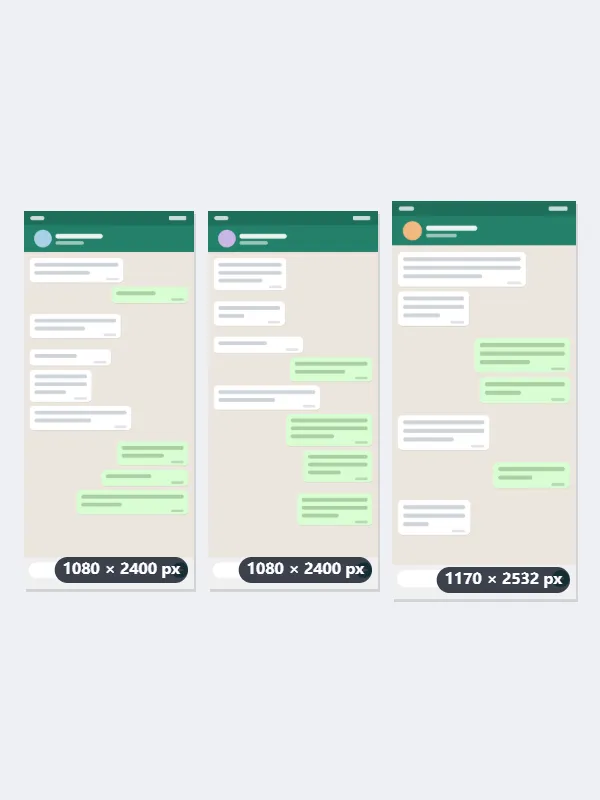
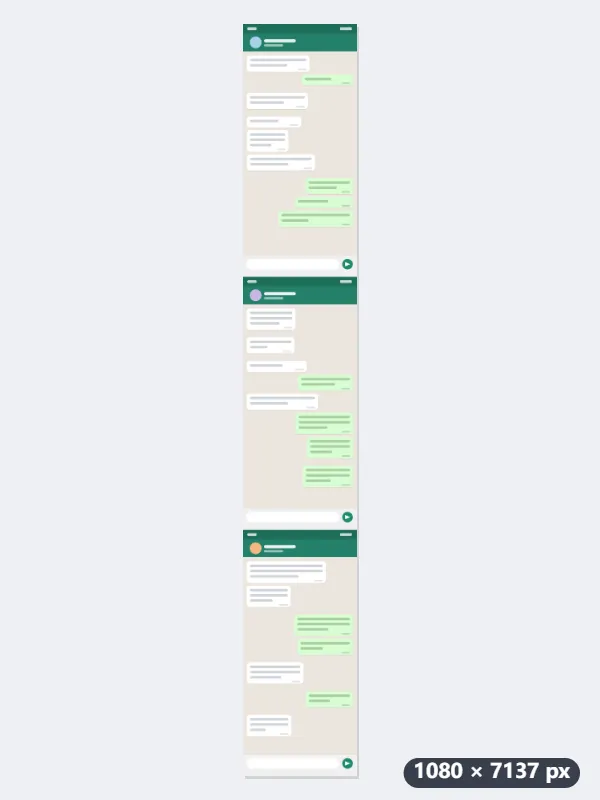
- Drop the screenshots in the order of the chat: the first in the list goes on top.
- They are all brought to the narrowest width and none is enlarged: the 1170 × 2532 screenshot becomes 1080 × 2337.
- With spacing 0 they meet edge to edge: 2400 + 2400 + 2337 = 7137 pixels tall.
| Screenshots | Long image |
|---|---|
| 3 × 1080 × 2400 | 1080 × 7200 |
| 2 × 1080 × 2400 and 1 × 1170 × 2532 | 1080 × 7137 |
| The same three, spacing 24 px | 1080 × 7185 |
| 2 × 1179 × 2556 | 1179 × 5112 |
| 1179 × 2556 and 1080 × 2400 | 1080 × 4741 |
| 7 × 1080 × 2400 | 1053 × 16384 (scaled down to the limit) |
One PNG, 1080 × 7137 pixels, named after the first screenshot with -combined added: chat1.png gives chat1-combined.png. A result taller than 16,384 pixels is scaled down as a whole to fit.
How it works
- Drop the screenshots in order, top first. Up to 12 at once on the free plan.
- They are stacked top to bottom at the same width, with no gap.
- Add spacing if you want the joins to show; keep PNG so text stays sharp.
- Press Combine and download the long image.
Frequently asked questions
- Why PNG and not JPG?
- Screenshots are mostly text and flat colour, which JPEG blurs around the edges. PNG keeps them sharp and is often no larger for this kind of image.
- The screenshots overlap. Does it cut the repeated part?
- No, they are joined as they are. Crop the repeated part off first with Crop image if you want a seamless page.
- Is there a limit to how long the image can be?
- 16,384 pixels a side, which keeps the file one every browser can save. Seven 1080 × 2400 screenshots would make 16,800, so the whole image is scaled to 1053 × 16384; for a longer chat, join it in two parts.
- What if the screenshots are different sizes?
- With “Make them the same height or width”, each is scaled to the width of the narrowest one, keeping its shape, and none is enlarged. With “Keep original sizes” they keep their own widths, and the narrower ones are centred with background at either side.
- Are the screenshots uploaded?
- No. They are joined in your browser, which matters for chats and receipts.