Put images side by side
Before and after, in one picture.
Drop files here
or click to choose from your deviceAccepted: JPG, JPEG, PNG, WEBP, AVIF, GIF, BMP, HEIC, HEIF
Up to 12 files per runUp to 20 MB per file5 runs per dayRemove limits with Pro✓ Works offline
Your files stay on your device
This tool runs entirely in your browser. Nothing is uploaded, nothing is stored, and you can even turn off your internet connection before you start.
Example
Example: a before and after of a repainted fence, from two different phones
Before: fence-before.jpg, a weathered grey-brown wooden fence, 1200 × 900, from an old phone. After: the same fence painted sage green, 1600 × 1200, from a new one. Added in that order; size Match, gap 20, background White, JPG.
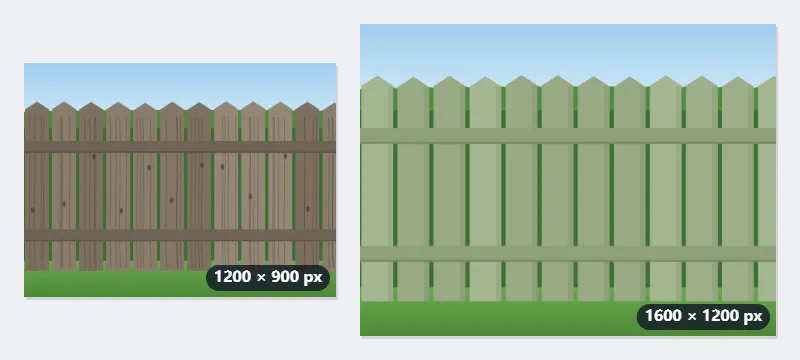
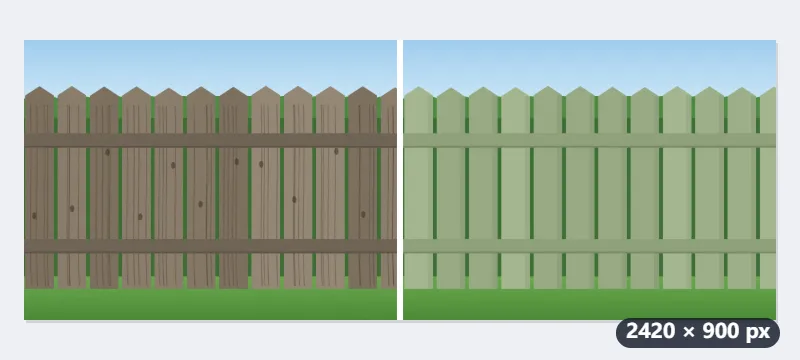
- Matching never enlarges: both are brought to the smaller height, 900 pixels, so the after photo becomes 1200 × 900.
- The result is 1200 + 20 + 1200 = 2420 × 900 pixels, with a 20-pixel white strip between the two photos.
- With size Original they keep 1200 × 900 and 1600 × 1200: the picture is 2820 × 1200 and the smaller photo sits centred, with white above and below.
- An upright after photo of 1080 × 1350 would be matched to 720 × 900, making the picture 1940 × 900.
fence-before-combined.jpg, 2420 × 900: before on the left, after on the right, at the same height, ready for a message or a listing. For “Before” and “After” labels, add them afterwards with Add text to image.
How it works
- Add the two pictures, in the order you want them — before first.
- Leave the size matching so both come out the same height, which is what makes the comparison fair.
- A gap of ten or twenty pixels separates them; none makes them read as one picture.
- Combine and download.
Frequently asked questions
- Can I get a slider instead?
- Not from here. A slider is a piece of a web page rather than a file, so it cannot be downloaded or posted as an image. Side by side is what travels — it works in a message, a listing or a print.
- What if the two pictures are different sizes?
- With the size set to match, both are scaled to the same height, which is the honest way to show a before and an after. Set it to original and they keep their own sizes, centred on the background.
- How big is the combined picture?
- The widths added together plus the gaps, at the height of the smaller picture: two 1200 × 900 photos with a 20-pixel gap make 2420 × 900. A very large result is scaled down evenly to stay within 16,384 pixels a side and 64 megapixels.
- Can I put three or four across?
- Yes, add them all. For rows and columns, switch Layout to Grid and set how many per row.
- Which format does it save?
- JPG unless you choose PNG or WebP. A transparent background needs PNG or WebP; in a JPG it comes out white.
- Does it label them?
- No. Add the labels afterwards with Add text to image, or leave the order to speak for itself.
- Is anything uploaded?
- No. It all happens in your browser.