Add a frame to a photo
A border that makes the picture look placed rather than posted.
Drop files here
or click to choose from your deviceAccepted: JPG, JPEG, PNG, WEBP, AVIF, GIF, BMP, HEIC, HEIF
Up to 3 files per runUp to 20 MB per file5 runs per dayRemove limits with Pro✓ Works offline
Your files stay on your device
This tool runs entirely in your browser. Nothing is uploaded, nothing is stored, and you can even turn off your internet connection before you start.
Example
Example: a 60 px white frame on a 1080 × 1350 phone photo
The picture: a 1080 × 1350 px (4:5) drawing of a yellow sun over green hills under a blue sky. Leave the width at 60 and the colour on White — the page’s defaults.
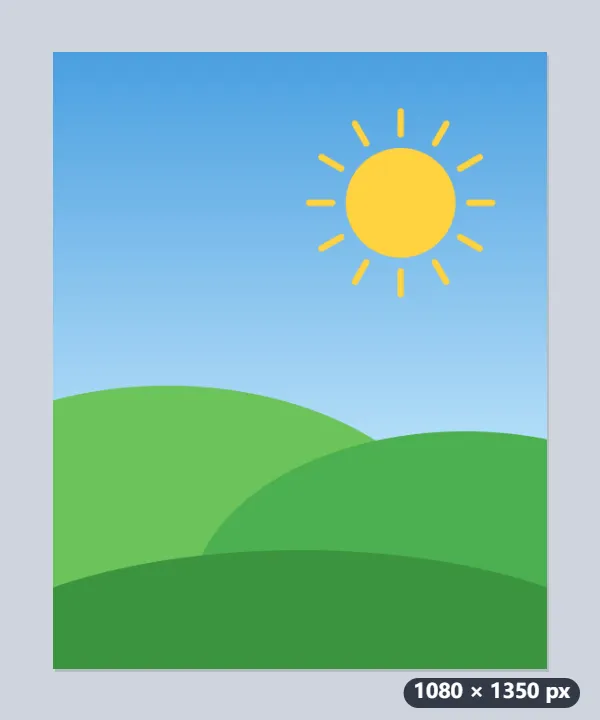
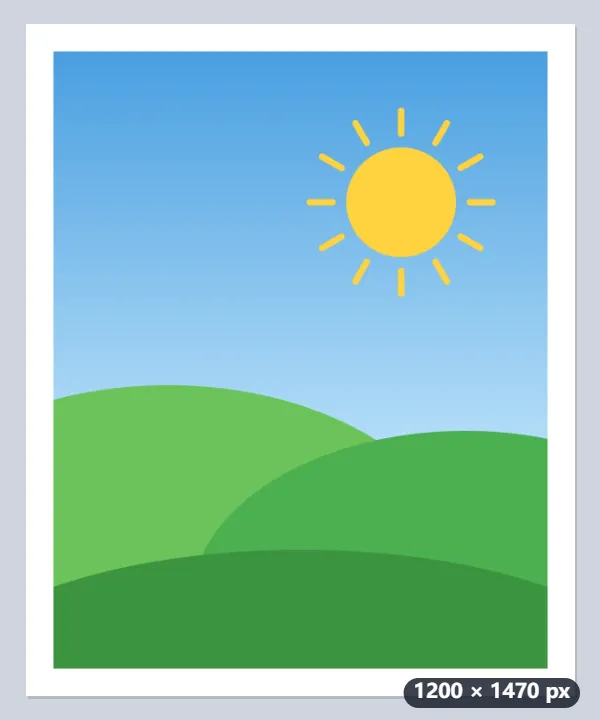
- The frame is added outside the picture, 60 px on each side: 1080 + 2 × 60 = 1200 wide and 1350 + 2 × 60 = 1470 high.
- Nothing is cropped or scaled: the picture sits in the middle at its own 1080 × 1350.
- The download keeps the format and adds -border to the name: hills.jpg becomes hills-border.jpg.
| Border | 1080 × 1350 photo becomes | 4000 × 3000 photo becomes |
|---|---|---|
| 20 px | 1120 × 1390 | 4040 × 3040 |
| 60 px (default) | 1200 × 1470 | 4120 × 3120 |
| 200 px | 1480 × 1750 | 4400 × 3400 |
The same 60 px that makes a clear frame on a phone photo is only 1.5 % of a 4000-pixel-wide camera photo, a thin line: for large photos use a few hundred pixels.
How it works
- Add the pictures. Several at once get the same frame.
- Set the width. Sixty pixels reads as a deliberate border on a phone photo; a few hundred gives the gallery look.
- Choose the colour. White for a print, black for a dark feed, transparent to pad without showing.
- Download.
Frequently asked questions
- Does the frame crop my picture?
- No. It is added outside, so the image gets larger and nothing is lost.
- How do I get the Polaroid look?
- A white border with the bottom wider than the other three. This adds an even border, so add it here and then use our add text tool to caption the space, or crop to square first for the classic shape.
- Can I use it to make a photo square for Instagram?
- Not with the frame: the border is the same width on all four sides, so a 1080 × 1350 photo becomes 1200 × 1470 and stays oblong. For an exact square, resize it to 1080 × 1080 with “Fit inside” and save as JPG: the empty sides are filled with white.
- What does transparent do?
- Pads the picture without drawing anything, which is what you want when the result is going onto a coloured background. Save as PNG or WebP — a JPEG has no transparency, so there the border comes out white.
- How wide should the border be?
- It is in pixels, so it depends on the photo. 60 px is over 5 % of a 1080-px-wide phone photo, a clear frame; the same look on a 4000-px camera photo takes about 200 px. The border is the same on all four sides.
- Is anything uploaded?
- No. It all happens in your browser.
Related tools
▢ Add border to image A clean frame around photos and screenshots, the same width on every side. T Add text to image Captions and titles that stay readable on busy photos, placed exactly where you want them. • Crop image to a circle A round profile picture, transparent around the edge, without uploading the photo. ⊞ Combine images Put photos side by side or stack screenshots into a single picture, in the order you choose.