Photo to pencil sketch
Thin lines, and the greys kept.
Drop files here
or click to choose from your deviceAccepted: JPG, JPEG, PNG, WEBP, AVIF, GIF, BMP, HEIC, HEIF
Up to 3 files per runUp to 20 MB per file5 runs per dayRemove limits with Pro✓ Works offline
Your files stay on your device
This tool runs entirely in your browser. Nothing is uploaded, nothing is stored, and you can even turn off your internet connection before you start.
Example
Example: a steaming coffee cup as a pencil sketch, and as a Letter colouring page
A 1600 × 1200 photo lit from the side, cup.jpg: a white coffee cup on its saucer, steam rising, on a wooden table. The page’s own settings are kept: Lines Fine, Style Pencil, Detail 5, Line colour Black, Background White, Save as PNG image.
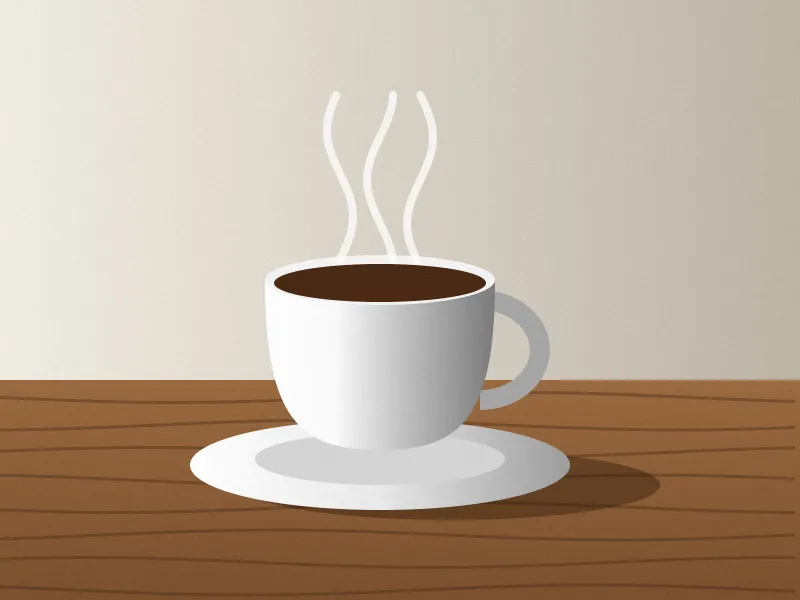
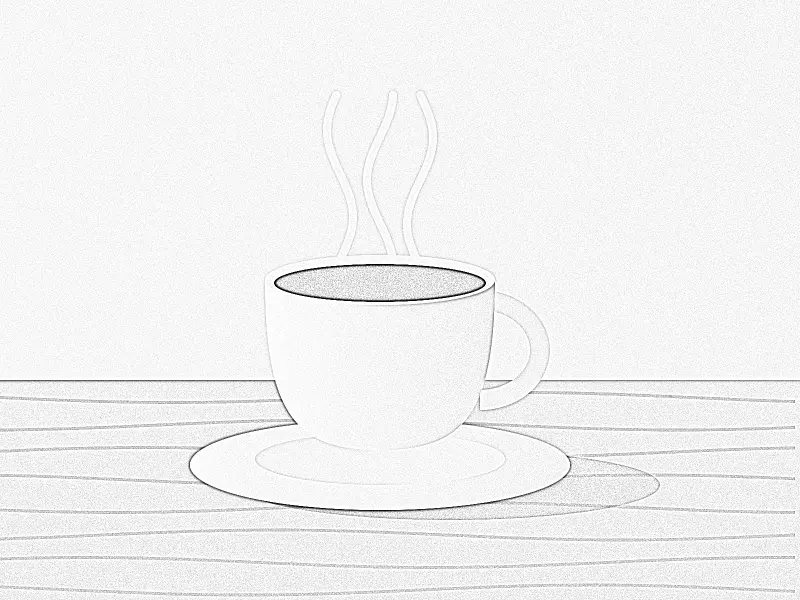
- The outlines of the cup, the saucer and the grain of the table become thin lines; the shadows leave only a light grey texture, strongest under the saucer.
- Each pixel mixes white with the line colour by how dark its line is: a full line is black, a half-strength one mid grey, so the soft shading survives.
- The sketch keeps the photo’s size, 1600 × 1200, and is saved as cup-lineart.png.
| Lines | Blur behind the lines, on a 1600 px photo | What you get |
|---|---|---|
| Fine (this page) | 2 px | Thin pencil lines with the greys kept |
| Medium | 3 px | Firmer lines, for a face or detail that gets lost |
| Bold | 6 px | An outline drawing |
A drawing that looks done in pencil, with a light grey grain, rather than an outline. Saved as Coloring page PDF (US Letter) instead, it is turned landscape and centred inside half-inch margins at 10 × 7.5 in, as cup-coloring-page.pdf.
How it works
- Add a photograph. Good light and a clear subject sketch best; a flat, grey photo gives a flat, grey sketch.
- The page starts on fine lines, which is what makes it read as pencil rather than as an outline.
- If the face or the detail is getting lost, move up to medium. Bold turns it into an outline drawing, which is a different thing.
- Download the PNG.
Frequently asked questions
- How is this different from the line drawing page?
- Weight and shading. This one starts fine and in pencil, so the mid greys survive and the result looks drawn. The main line-art page starts at medium, and the colouring page is bold ink with no greys at all — outlines to fill in.
- It looks too faint.
- A soft, evenly lit photograph has little for the pencil to find. Try a picture with stronger light and shadow, or step up to medium lines. Raising the weight is usually better than raising the contrast of the original.
- Can I get it on a transparent background?
- Yes — the transparent line art page is the same engine with the white taken out, so the greys become partly transparent instead of sitting on paper.
- What does the Detail setting change?
- How many of the faint marks are kept. In Pencil style, a lower number drops the faintest greys first, so textures such as wood grain or fabric thin out; a higher one strengthens faint marks so more of them print. 5 is where the page starts.
- Can I print it as a colouring page?
- Yes: choose Coloring page PDF (A4) or (US Letter) under Save as. The page turns to suit the picture and the drawing is centred as large as fits inside half-inch margins: a 1600 × 1200 sketch fills 10 × 7.5 in on Letter. For pages to colour in, Ink style gives cleaner lines than Pencil.
- Is the photograph uploaded?
- No. The sketch is made in your browser and the photograph never leaves your device.