Line art on a transparent background
Lines only — nothing white behind them.
Drop files here
or click to choose from your deviceAccepted: JPG, JPEG, PNG, WEBP, AVIF, GIF, BMP, HEIC, HEIF
Up to 3 files per runUp to 20 MB per file5 runs per dayRemove limits with Pro✓ Works offline
Your files stay on your device
This tool runs entirely in your browser. Nothing is uploaded, nothing is stored, and you can even turn off your internet connection before you start.
Example
Example: a sailing boat drawing as black lines on nothing
boat.png, 2400 × 1600 px: a flat-colour sailing boat with white sails, a mast and a red hull, on a blue sea under a pale sky. Settings: Lines Medium, Style Ink, Line colour Black, Background Transparent (lines only), PNG image.
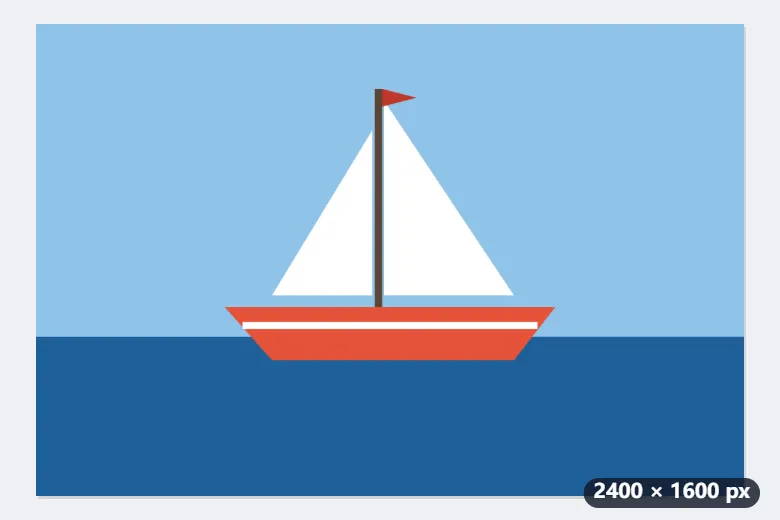
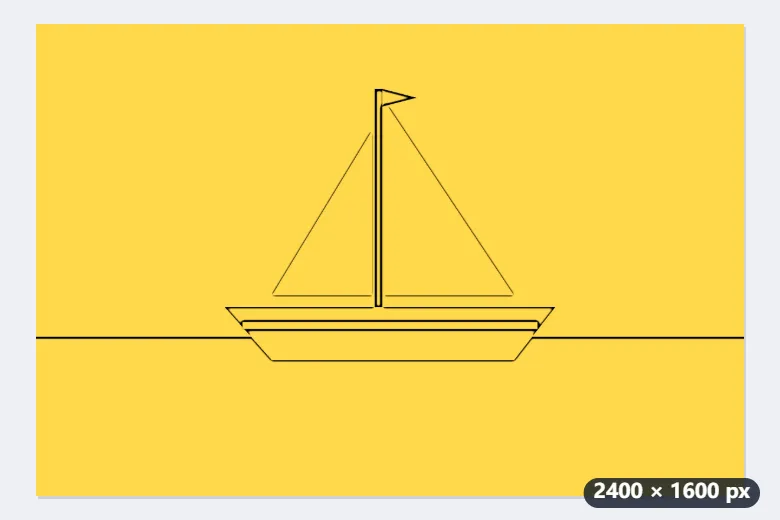
- The lines are found as for the white version, Medium being a 5 px blur at this size, but each pixel’s darkness becomes its opacity instead of a shade of grey.
- Where there is no line the pixel is fully transparent: sky, sea and sails are gone, not white.
- Download boat-lineart.png and lay it over a yellow background: the black outlines sit on the yellow with no white box around them.
A 2400 × 1600 PNG with an alpha channel: black outlines of the hull, sails, mast and waterline, and nothing else. Keep it as PNG; saving it as JPG would fill the empty areas with white.
How it works
- Add a photograph or a drawing. Strong edges give the cleanest lines.
- Set the line weight. Fine keeps the small detail; bold survives being scaled down.
- Ink gives flat black lines, pencil keeps the soft greys — both stay transparent where there is no line.
- Download the PNG and lay it over whatever you like.
Frequently asked questions
- Is the background really transparent, or just white?
- Really transparent. The lines are written into the alpha channel, so where there is no line there is no pixel — put it on a dark background and the lines stay black with nothing behind them. Saving as JPG afterwards would fill it with white again, because JPG has no transparency.
- The pencil style looks grey rather than solid.
- That is what it is for: pencil keeps the shading as partly transparent greys, so the drawing has depth. Ink throws the greys away and leaves flat black. For an overlay, ink is usually cleaner.
- Can I get an SVG for a cutting machine?
- Not out of this page, but out of the next one. What this writes is a PNG — pixels, not paths — so a cutting machine has nothing to follow. Take that PNG to Image to SVG, which traces the pixels into paths and gives you the SVG. Doing it in that order is also the better result: the lines are already clean and on a transparent background, which is exactly what a tracer wants.
- Can the lines be another colour?
- Yes: Line colour offers black, dark grey, brown, blue or a colour of your own. On a transparent background every line pixel is that colour, with the line’s darkness as its opacity, so a blue drawing stays blue over any background.
- Is the picture uploaded?
- No. The lines are found in your browser and the picture never leaves the device.