Paint by numbers from your photo
Your picture, ready to paint area by area.
Drop files here
or click to choose from your deviceAccepted: JPG, JPEG, PNG, WEBP, AVIF, GIF, BMP, HEIC, HEIF
One file per runUp to 20 MB per file5 runs per dayFree PDFs end with a small “Made with nouplo.com” lineRemove limits with Pro✓ Works offline
Your files stay on your device
This tool runs entirely in your browser. Nothing is uploaded, nothing is stored, and you can even turn off your internet connection before you start.
Example
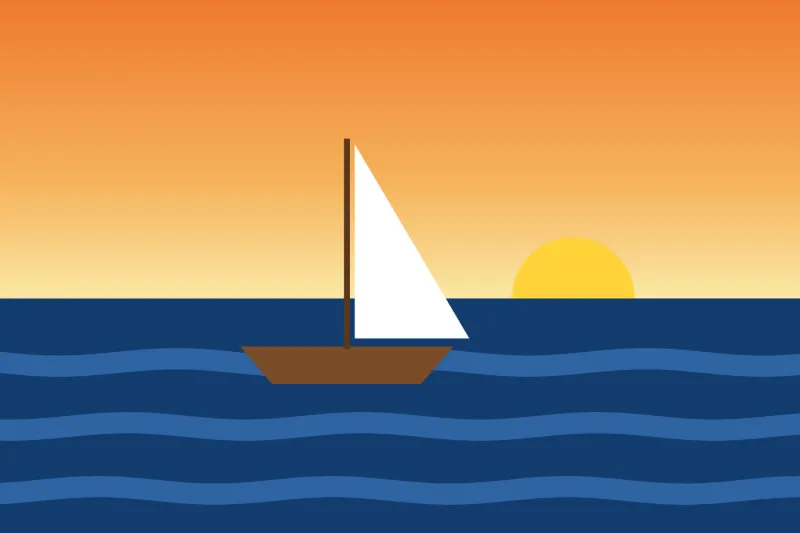
Example: a sunset sailboat picture as a 12-colour template on A4
sailboat.jpg, 3000 × 2000 px: a sky from orange at the top to pale yellow at the horizon, a half-set yellow sun, a dark blue sea with three lighter wave stripes, a white triangular sail and a brown hull. Settings: 12 colours, Low detail, A4.
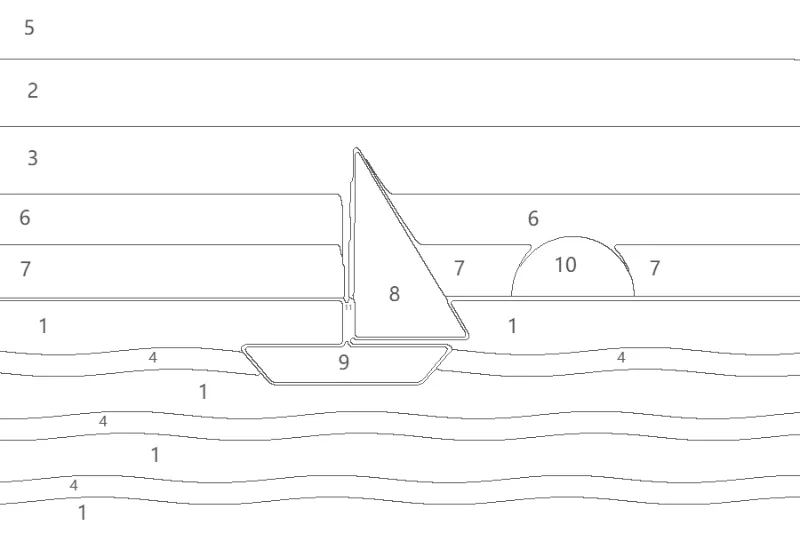
- Low detail works the picture at 900 × 600 px, so its longest side is 900.
- It is reduced to 12 colours and cleaned of specks; any area under 900 px, or too narrow to hold its number, joins its neighbour.
- The colours are numbered from 1 by how much of the picture they cover, and each area gets its number where it is widest.
| Detail | Worked at | Printed on landscape A4 | Narrowest area on paper |
|---|---|---|---|
| Low | 900 × 600 px | 277 × 184.7 mm | about 4.3 mm across |
| Medium | 1300 × 867 px | 277 × 184.7 mm | about 2.6 mm across |
| High | 1700 × 1133 px | 277 × 184.6 mm | about 1.6 mm across |
Three files: sailboat-paint-by-numbers.pdf (the numbered outline on a landscape A4 page, then the finished picture with its numbered swatches and hex codes), the numbered outline as a 900 × 600 PNG, and sailboat-painted.png to paint from.
How it works
- Add a photo with a clear subject; crop away what you do not want to paint.
- Choose the number of colours and the level of detail.
- Make the template and print the outline page.
- Mix each numbered colour from the palette page and paint.
Frequently asked questions
- How are the areas made?
- The photo is reduced to the number of colours you choose, cleaned of speckle, and every area too small to paint or too narrow to hold its number is joined to its neighbour. Each area then gets its number at the point farthest from its edges.
- How many colours should I choose?
- Twelve to sixteen suit most photos. Fewer gives a bold, graphic picture; more gives a truer likeness but more mixing.
- How do I mix the colours?
- The palette page shows each numbered colour as a swatch with its hex code. Mix acrylics to match the swatch; a little white or black moves most colours where they need to go.
- Can I print it bigger than the paper?
- The download includes the numbered outline as a PNG, which you can print at any size or tile across sheets with the poster printing tool.
- Which detail level should I choose?
- Low for children and first paintings: the picture is worked at 900 px on its longest side, and on a landscape A4 print of a 3 : 2 photo no area is narrower than about 4 mm. Medium works at 1,300 px; High at 1,700 px, with areas down to about 1.6 mm for fine brushes.
- What is in the download?
- Three files: a PDF with the numbered outline on the first page and the finished picture with numbered colour swatches and their hex codes on the second; the numbered outline as a PNG; and the finished picture as a PNG.
- Is my photo uploaded?
- No. The template is made in your browser.