Grid drawing tool
Copy any picture square by square.
Drop files here
or click to choose from your deviceAccepted: JPG, JPEG, PNG, WEBP, AVIF, GIF, BMP, HEIC, HEIF
Up to 3 files per runUp to 20 MB per file5 runs per dayRemove limits with Pro✓ Works offline
Your files stay on your device
This tool runs entirely in your browser. Nothing is uploaded, nothing is stored, and you can even turn off your internet connection before you start.
Example
Example: an 8-square grid over an apple picture, copied with 1-inch squares
apple.jpg, 1600 × 1200 px: a red apple with a green leaf on a light blue background. Settings: 8 squares across, Square cells, numbers and letters on, Black with a white edge, Medium lines, greyscale on, the same format.
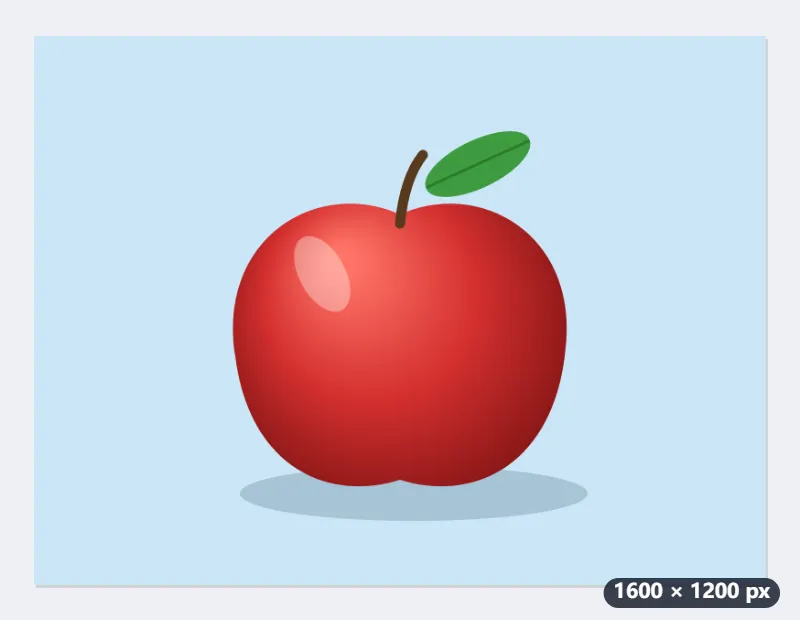
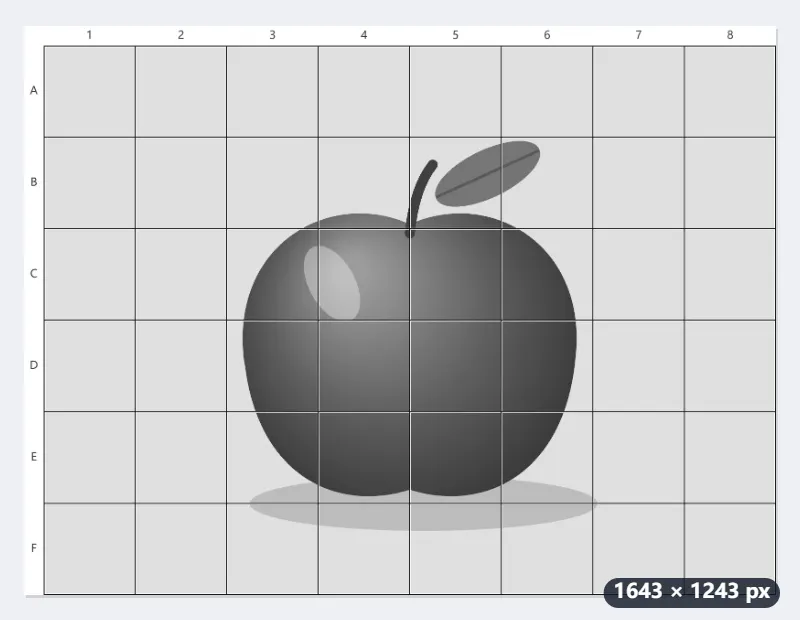
- Each square is 1600 ÷ 8 = 200 px, so the 1200 px height makes 6 rows, lettered A to F; the columns are numbered 1 to 8.
- The numbers and letters sit in a 43 px band outside the picture, so apple-grid.jpg is 1643 × 1243 px and no square is covered.
- On paper, rule 8 × 6 squares of 1 inch: the drawing comes out 8 × 6 inches and fits a Letter sheet.
| Squares across | Rows | Square size | Last row |
|---|---|---|---|
| 4 | 3, A to C | 400 px | full |
| 6 | 5, A to E | 267 px | 133 px, half a square |
| 8 | 6, A to F | 200 px | full |
| 12 | 9, A to I | 133 px | full |
Copy one square at a time (B3 is row B, column 3), looking only at where the apple’s edge crosses each square’s sides. In greyscale the lit side of the apple and its shadow are easy to tell apart.
How it works
- Add the photo you want to draw from.
- Set how many squares go across; the rows follow, square.
- Rule the same number of squares on your paper, bigger or smaller as you like.
- Draw what is in each square, one square at a time.
Frequently asked questions
- How does the grid method work?
- The picture and the paper get the same grid. You copy one square at a time, looking only at the shapes inside it and where lines cross its edges, so proportions come out right without measuring. Artists have enlarged pictures this way for centuries.
- How many squares should I use?
- Fewer squares for a simple subject and more for a portrait: six to eight across is a good start, twelve or more when there is fine detail. Diagonals help inside a square with a lot going on.
- How big should the squares on my paper be?
- Any size, as long as they are all square and there are as many of them. Squares twice as big give a drawing twice as big.
- Why greyscale?
- Without colour, it is much easier to see how light or dark each area is, which is what makes a drawing look solid.
- Why is the last row shorter than the others?
- With square cells the rows are as tall as a square is wide, and a picture rarely divides evenly: a 1600 × 1200 picture with 6 squares across has 4½ rows, so row E is half a square tall. Draw it the same on paper. A sliver under a fifth of a square is joined to the row above.
- Can I choose the number of rows myself?
- Untick Square cells and set Rows down: the height is then divided evenly into that many rows, so the cells become rectangles. Rule your paper in the same proportions.
- Is my photo uploaded?
- No. The grid is drawn in your browser and the photo never leaves your device.