Invert image colors
Light becomes dark and every colour turns into its opposite, on your own device.
Drop files here
or click to choose from your deviceAccepted: JPG, JPEG, PNG, WEBP, AVIF, GIF, BMP, HEIC, HEIF
Up to 3 files per runUp to 20 MB per file5 runs per dayRemove limits with Pro✓ Works offline
Your files stay on your device
This tool runs entirely in your browser. Nothing is uploaded, nothing is stored, and you can even turn off your internet connection before you start.
Example
Example: a dark-mode screenshot turned light for printing
A screenshot of a page in dark mode: a near-black background, light grey text and a light blue link. Invert colors is preselected; press it and download.
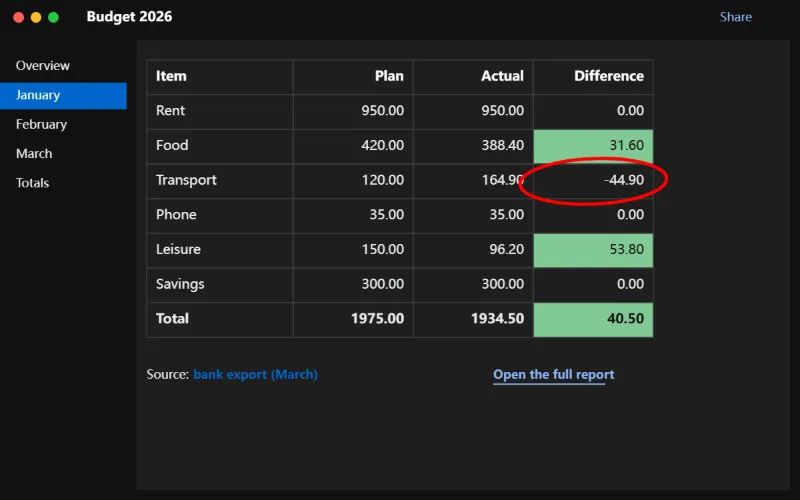
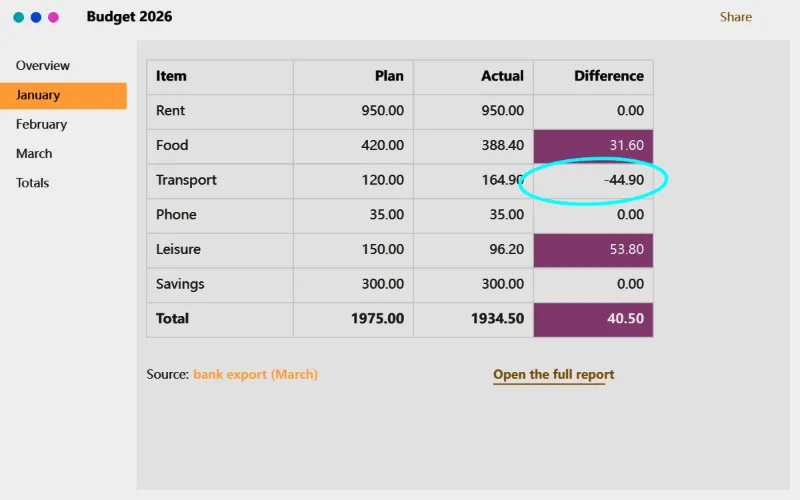
- Every red, green and blue value becomes 255 minus itself: 18 (hex 12) becomes 237 (hex ED), so #121212 turns into #EDEDED.
- Transparency is left as it was.
| Part | Before | After |
|---|---|---|
| Background | #121212 | #EDEDED |
| Text | #E8EAED | #171512 |
| Link | #8AB4F8 | #754B07 |
| White | #FFFFFF | #000000 |
The page now prints as dark text on a light background, with far less ink. Colours flip too — the light blue link turns brown — so it suits text and diagrams better than photos.
How it works
- Drop the images to invert.
- Invert colors is preselected.
- Press Invert colors.
- Download the results.
Frequently asked questions
- What does inverting do exactly?
- Every colour is replaced by its opposite: white becomes black, black becomes white, blue becomes orange. Transparency is kept.
- Can I print a dark-mode screenshot with less ink?
- Yes. Inverting a dark-mode screenshot gives dark text on a light background, which prints far more clearly and uses much less ink. Colours in it will change too.
- Can I see a scanned film negative as a photo?
- Inverting shows the picture as a positive, which is enough to see what is on it. Colour film also has an orange mask, so colours will not be accurate without further correction.
- What colour does each colour become?
- Its opposite on each channel, 255 minus the value: white #FFFFFF becomes black #000000, dark grey #121212 becomes #EDEDED, red #D32F2F becomes cyan #2CD0D0.
- Can I undo an inversion?
- Invert the result again: 255 minus (255 minus a value) gives the value back, so a PNG returns exactly to the original. A JPG is compressed again on each save, so it comes back very slightly changed.
- Are my images uploaded?
- No. The conversion runs in your browser. The free plan handles 3 images per run, 20 MB each and 5 runs per day.