Meme generator
Your picture, your words, nobody else’s watermark.
Drop files here
or click to choose from your deviceAccepted: JPG, JPEG, PNG, WEBP, AVIF, GIF, BMP, HEIC, HEIF
One file per runUp to 20 MB per file5 runs per dayRemove limits with Pro✓ Works offline
Your files stay on your device
This tool runs entirely in your browser. Nothing is uploaded, nothing is stored, and you can even turn off your internet connection before you start.
Example
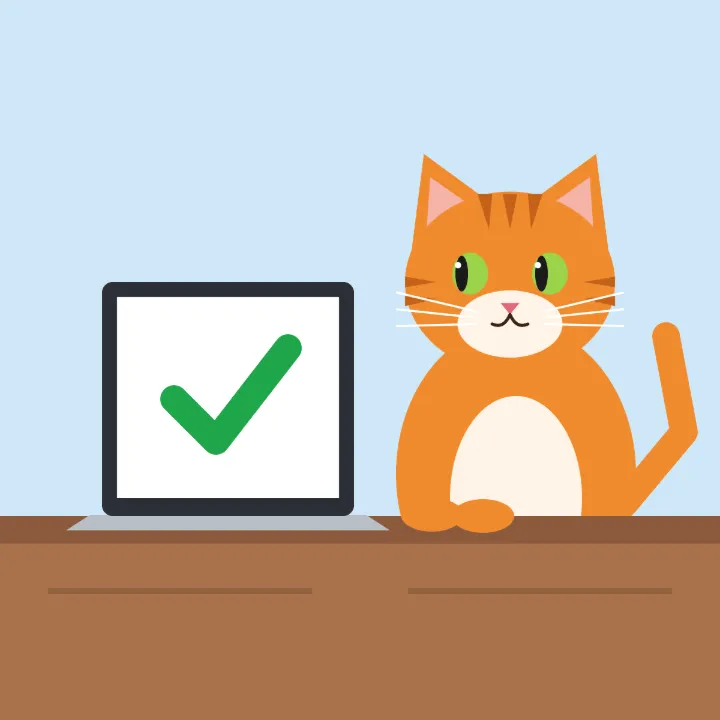
Example: classic top-and-bottom meme text on a 1200 × 1200 picture
The picture: a 1200 × 1200 px cartoon of an orange cat sitting at a desk, staring at a laptop with a big green tick on its screen, in front of a plain light-blue wall. The meme needs a line at the top and one at the bottom.
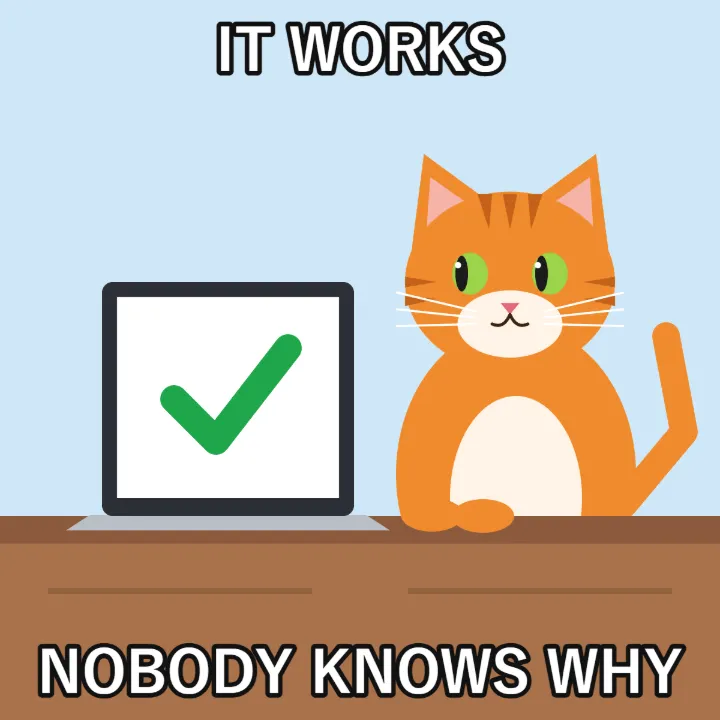
- Press Add text: a box appears in the middle in white with a black outline, at size 8 % — letters 96 px tall on a 1200 px picture.
- Type IT WORKS and drag the box to the top edge.
- Press Add text again, type NOBODY KNOWS WHY and drag it to the bottom. Each text keeps its own size, colour and outline.
- Download: the picture is still 1200 × 1200, saved as cat-text.png if the original was cat.png.
Two lines of white text with a black outline, readable over the light wall and the dark desk alike, and nothing else on the picture — no watermark, no logo.
How it works
- Add the picture — your own, or one you already have saved.
- Type the text and drag it where it should sit. Top and bottom is the classic arrangement; anywhere works.
- Set the size and the colour. White with a dark outline is readable on almost anything.
- Download. Nothing is added to the picture that you did not put there.
Frequently asked questions
- Will it put a watermark on it?
- No. That is most of the reason this page exists — the picture comes out with your text on it and nothing else.
- Is there a library of templates?
- No, and deliberately: hosting a library of other people’s pictures is somebody else’s copyright problem. Bring your own picture and this will letter it.
- What font does it use?
- A heavy sans-serif with an outline, which is what reads at small sizes on a phone and against a busy photograph. Impact is the traditional choice and is not on every machine, so this uses something close that is.
- Can I put text on a GIF?
- Not on the animation — the text would go on one frame. Convert the GIF to MP4 first and use the video watermark tool if the text needs to stay through the whole thing.
- How do I make the classic meme text?
- White capitals with a black outline at the top and bottom. The editor starts with white text and a black outline, so type in capitals, drag the first text to the top, and press Add text again for the bottom line.
- How do I make the text bigger or smaller?
- Use the Size slider, from 2 % to 30 % of the picture’s height, or drag a corner of the text box. Sizes and places are kept as shares of the picture, so the download matches the preview at full resolution.
- Is anything uploaded?
- No. It all happens in your browser.