See what a photo says about itself
Location, date, camera and settings, read from the photo in your browser. Check before you send.
Drop files here
or click to choose from your deviceAccepted: JPG, JPEG, PNG, WEBP, HEIC, HEIF, TIF, TIFF
Up to 3 files per runUp to 20 MB per file5 runs per dayRemove limits with Pro✓ Works offline
Your files stay on your device
This tool runs entirely in your browser. Nothing is uploaded, nothing is stored, and you can even turn off your internet connection before you start.
Example
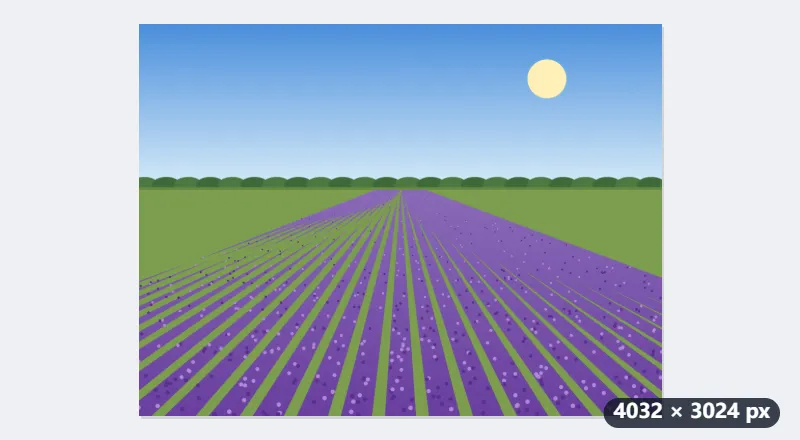
Example: what a phone photo of a lavender field gives away before you send it
lavender.jpg, 4032 × 3024, taken on a phone in July in a lavender field in the Cotswolds, with location switched on for the camera. Before emailing the original to a friend, drop it here and press Show information. The report starts with where the photo was taken.
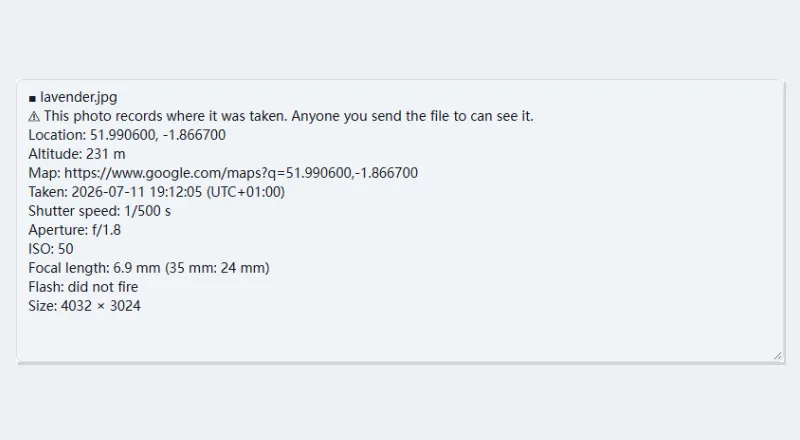
| Report line | What it shows | What it means |
|---|---|---|
| Warning | ⚠ This photo records where it was taken. Anyone you send the file to can see it. | the file carries GPS coordinates |
| Location | 51.990600, -1.866700 | latitude and longitude, to within a few metres |
| Altitude | 231 m | the height the phone recorded |
| Map | a link to those coordinates | the exact spot on a map |
| Taken | 2026-07-11 19:12:05 (UTC+01:00) | day, time and offset: British Summer Time |
| Shutter speed, Aperture, ISO | 1/500 s, f/1.8, 50 | the exposure settings |
| Focal length | 6.9 mm (35 mm: 24 mm) | the phone’s wide main lens |
| Flash, Size | did not fire, 4032 × 3024 | no flash, full resolution |
Anyone with the original file can find the field to within a few metres and see the time of day it was taken. The report also downloads as lavender-exif.txt. To send the photo without these details, run it through Remove EXIF data first, then drop the new file here again: the location lines are gone.
How it works
- Drop one or more photos: JPG, iPhone HEIC, PNG, WebP or TIFF.
- Press Show information. The photo is read in your browser.
- Read the report. If a location is recorded it comes first, with a map link.
- To send the photo without its location, use Remove EXIF data.
Frequently asked questions
- Why does the location matter?
- A phone records where each photo is taken, to a few metres, unless location is switched off for the camera. Anyone who gets the original file can read it: a photo taken at home tells them where you live. Many social networks remove it when you post, but email, chat apps sending files, and file-sharing links do not.
- What information is shown?
- Where it was taken (with altitude and a map link), when, the camera and lens, shutter speed, aperture, ISO, focal length, whether the flash fired, the software that last saved it, and the author and copyright if recorded.
- It says there is no information. Why?
- Screenshots, pictures saved from social networks and messaging apps, and edited images often have none: the metadata is removed along the way. That is also what Remove EXIF data does on purpose.
- Why does the time say UTC+01:00?
- Phones store the offset of the time zone the photo was taken in next to the time, and the report shows it in brackets: UTC+01:00 is British Summer Time, UTC+00:00 a UK winter photo. A camera that stores no offset shows the time alone, which is simply what its clock said, in whatever zone it was set to.
- Can I check several photos at once?
- Yes. Drop several and each gets its own block in one report, which downloads as photo-info.txt; a single photo downloads as its name followed by -exif.txt. The free plan takes 3 files per run, 20 MB each, and 5 runs a day.
- Is the photo uploaded?
- No. The information is read in your browser. Only if you open the map link does the map service receive the coordinates.