Enhance image quality without enlarging
The AI model does its work and the picture comes back at its original size: sharper edges, less noise, same dimensions.
Drop files here
or click to choose from your deviceAccepted: JPG, JPEG, PNG, WEBP, AVIF, GIF, BMP, HEIC, HEIF
Up to 3 files per runUp to 20 MB per file5 runs per dayRemove limits with Pro✓ Works offline
Your files stay on your device
This tool runs entirely in your browser. Nothing is uploaded, nothing is stored, and you can even turn off your internet connection before you start.
Example
Example: a scanned holiday print, cleaner at the same 1200 × 900 pixels
A print from a family album, scanned as harbour.jpg at 1200 × 900 pixels: a seaside village of white houses with terracotta roofs above a harbour with three small sailing boats. The scan is slightly soft and shows the blocky squares of a heavily compressed JPG. Output format: Keep original format.
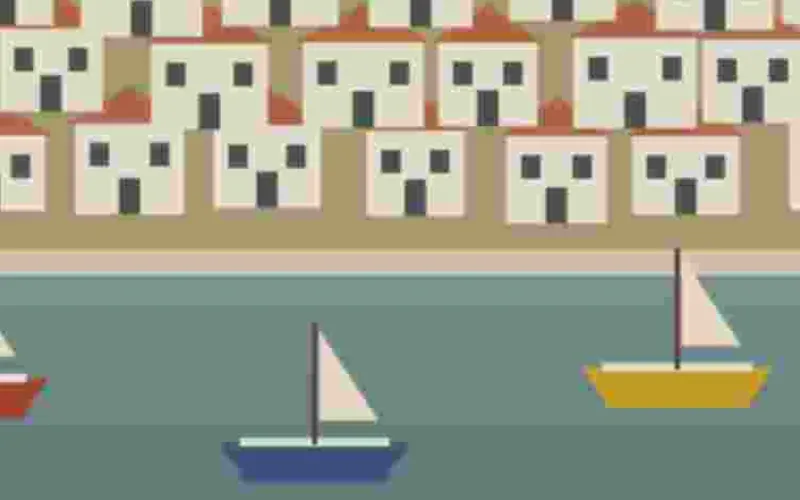
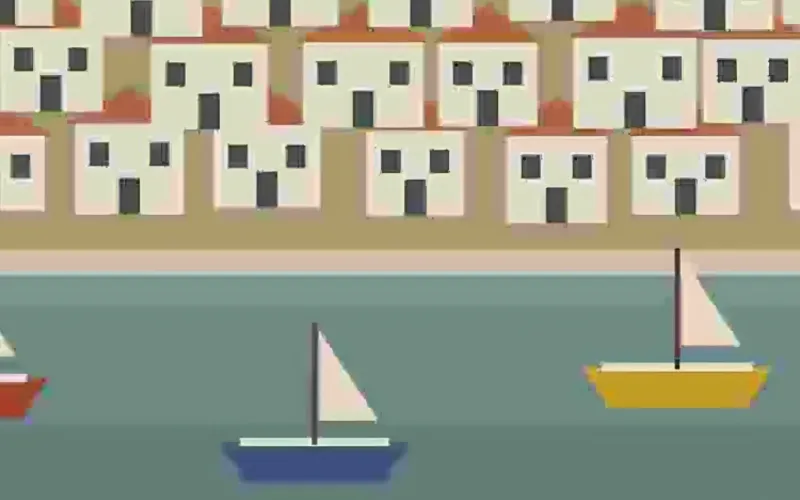
- The first time, the AI model (about 2.5 MB) and its runtime are downloaded; after that they are already in the browser.
- 1200 × 900 is 1.08 megapixels, well under the limit of about 4. The picture is cut into 35 tiles of 192 pixels, 7 across and 5 down, shared between processor cores.
- The model enlarges each tile ×4, to 4800 × 3600 in all, and every 4 × 4 block of that is averaged back into one pixel, so the picture returns to 1200 × 900.
| Picture | Megapixels | Tiles | Accepted? |
|---|---|---|---|
| 1200 × 900 (scan) | 1.08 | 35 | yes |
| 1600 × 1200 | 1.92 | 63 | yes |
| 1920 × 1080 | 2.07 | 60 | yes |
| 2048 × 1536 | 3.15 | 88 | yes |
| 2560 × 1600 | 4.10 | 126 | yes |
| 3024 × 4032 (phone photo) | 12.19 | — | no: the page asks you to make it smaller first |
harbour-sharp.jpg, still 1200 × 900: the edges of the houses and the sails are cleaner and the JPG squares are gone. Detail the scan never held does not appear, and the boats and houses keep their shapes.
How it works
- Drop the picture you want cleaned up: a slightly soft photo, a scan of an old print, or an image that lost detail to heavy compression. Up to about 4 megapixels, for example 2048 × 2048 or 2560 × 1600.
- Leave the output format alone unless you need a specific one. There is no size to choose: this page is fixed to the original size.
- Press Enhance. The first time, the AI model and its runtime (about 5 MB) are downloaded; after that it starts straight away and works offline. The picture is cut into tiles and processed on several processor cores at the same time.
- Download the result. Its name ends in -sharp, so it sits next to the original instead of overwriting it, and you can compare the two before you keep one.
Frequently asked questions
- What does it actually change?
- Edges get crisper, sensor noise and JPEG blocking are smoothed away, and fine texture is redrawn. The model enlarges the picture ×4 internally and the result is averaged back down to the original width and height, so the clean-up survives but the dimensions do not change.
- Will it fix a blurry photo?
- Not a truly blurry one. Motion blur, a shot that missed focus and detail the camera never captured cannot be recovered by this or any other tool; what you get back is a confident-looking guess. It works on pictures that are only slightly soft, and on scans and compressed images where the detail is there but muddy.
- Why would I not just enlarge it?
- Because a bigger file is often the wrong answer. If an image already has the pixels a form, a template or a website needs, enlarging it only makes it heavier. This page keeps the size and spends the model on quality. When you do need more pixels, use the ×2 and ×4 options on the main Upscale image page.
- Does the file get bigger?
- The pixel dimensions stay identical. The number of bytes can go up a little, because sharper detail costs more to encode than a smudge, especially for a JPEG that was heavily compressed to begin with. Run the result through Compress image if it has to stay under a limit.
- How big a picture can I enhance?
- Up to about 4 megapixels: 2048 × 2048 and 2560 × 1600 are accepted, while a 12-megapixel phone photo (4032 × 3024) is not, and the page asks you to make it smaller first; Resize image to about 2000 × 1500 does it. ×2 stops at about 2 megapixels because its result has four times the pixels; here the result stays the size of the original. It is not faster, though: the model still works at ×4 on every tile, so 4 megapixels take roughly twice as long as 2.
- Can I use it on text, documents or number plates?
- No. The model invents plausible detail, so small letters can come back as different letters and a number plate can come back as a different number. Use it on pictures, not on anything that has to stay faithful. Black-and-white scans are kept neutral grey rather than picking up a colour cast.
- Is my picture uploaded?
- No. The model, Real-ESRGAN general-x4v3, is the same one the Upscale image page uses; it is downloaded to your browser once for both and runs on your own processor, so the photo stays on your device. A 2-megapixel image takes a while on an older laptop or a phone; the free plan covers 3 images per run, 20 MB each and 5 runs a day.