Upscale an image with AI
Small photos come out larger and sharper, enlarged by an AI model on your own device.
Drop files here
or click to choose from your deviceAccepted: JPG, JPEG, PNG, WEBP, AVIF, GIF, BMP, HEIC, HEIF
Up to 3 files per runUp to 20 MB per file5 runs per dayRemove limits with Pro✓ Works offline
Your files stay on your device
This tool runs entirely in your browser. Nothing is uploaded, nothing is stored, and you can even turn off your internet connection before you start.
Example
Example: an old 640 × 480 picture enlarged ×4 to 2560 × 1920
A small picture from an early digital camera or an old website, house.png, 640 × 480 pixels: a red house with a dark roof, a green tree beside it and a blue sky, which turns soft and blocky at full screen. Settings: Enlarge ×4, Keep original format.

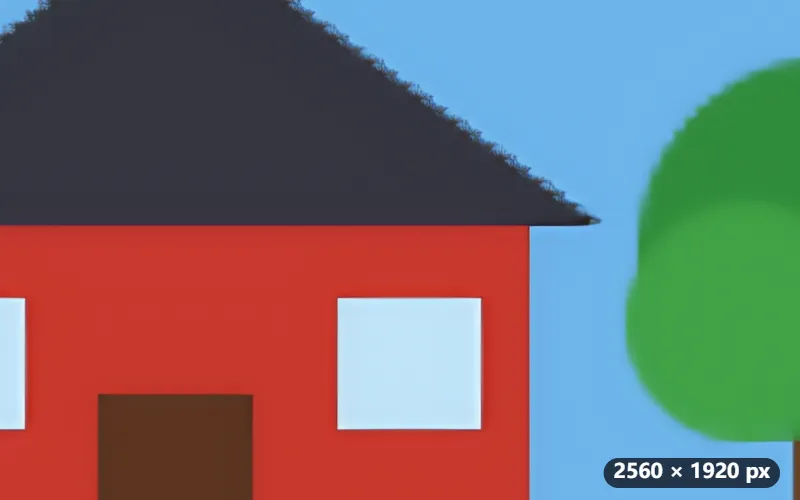
- Drop the picture: 640 × 480 is 307,200 pixels, well under the ×4 limit of 1,048,576 (1024 × 1024).
- Press Upscale. The first time, the model downloads; then the picture is cut into 12 tiles, enlarged on several processor cores at once.
- Download house-x4.png: 2560 × 1920 pixels, the roof and the tree with clean edges instead of a blur.
| Picture | ×2 | ×4 |
|---|---|---|
| 500 × 375 | 1000 × 750 | 2000 × 1500 |
| 640 × 480 | 1280 × 960 | 2560 × 1920 |
| 800 × 600 | 1600 × 1200 | 3200 × 2400 |
| 1280 × 720 | 2560 × 1440 | 5120 × 2880 (921,600 pixels: allowed) |
| 1200 × 900 | 2400 × 1800 | no: 1,080,000 pixels, over the limit |
| 1600 × 1200 | 3200 × 2400 | no: over the limit |
Sixteen times as many pixels, sharp at full screen. The extra detail is drawn by the model, not recovered: fine for a picture to look at, not for anything that must stay exact, such as text or a number plate.
How it works
- Drop a photo. ×4 works on images of up to 1,048,576 pixels in all (1024 × 1024, so 1280 × 720 fits too), ×2 on images up to about 2 megapixels, such as 1600 × 1200.
- Choose ×2 or ×4. ×2 keeps a more natural look; ×4 gives the largest picture.
- Press Upscale. The first time, the AI model and its runtime (about 5 MB) are downloaded. The picture is cut into tiles and enlarged on several processor cores at once.
- Download the enlarged image.
Frequently asked questions
- How long does it take?
- The model runs on your processor, so a 1000 × 1000 photo takes about 15 seconds on a fast computer and a minute or more on an older laptop. Phones are slower still; small images work best there.
- Can it bring back details the photo does not have?
- No tool can recover what the camera never captured. The model draws edges and textures that look plausible, so skin can look smoother than it was and small text can come out as different letters. Do not use it for documents, number plates or anything that has to stay faithful.
- Does it work on illustrations and manga?
- Yes. The same model sharpens the lines of illustrations, anime-style art and line drawings, and black-and-white manga stays black and white. Fine screentone and text smaller than about 14 pixels cannot be restored and come out as invented dots and shapes, so start from the largest copy you have.
- Why is my image too large?
- Enlarging happens in your browser's memory. ×4 stops at 1,048,576 pixels in all (1024 × 1024, which becomes 4096 × 4096), the largest picture some browsers can hold; ×2 stops at about 2 megapixels. Photos larger than that rarely need upscaling, and you can make them smaller first.
- Why does ×4 take a 1280 × 720 picture but not 1200 × 900?
- The limit is the number of pixels, 1,048,576 (1024 × 1024), not the length of a side. 1280 × 720 is 921,600 pixels and becomes 5120 × 2880; 1200 × 900 is 1,080,000, too many for ×4, though ×2 takes it.
- Is my photo uploaded?
- No. The AI model, Real-ESRGAN, is downloaded once and runs in your browser, so the picture stays on your device. Later uses start straight away and work offline.
- What are the free limits?
- The free plan handles 3 images per run, 20 MB each and 5 runs per day. Pro removes these limits.