Online colouring
Tap to fill, paint with a brush — mandalas, animals, patterns or your own photo.
Tap a space to fill it, or paint with the brush. Pinch or use the zoom buttons for small spaces. Keyboard: arrow keys move the cross, Enter fills or paints, Ctrl+Z undoes.
Nothing leaves your device
This tool runs entirely in your browser. What you type, play or record here stays on your device: nothing is uploaded or saved on a server.
Example
An evening mandala: picture no. 7, about 95 spaces, filled in three colour rings
Someone wants a quiet half hour after work. Picture: Mandalas, then “New pictures” to show numbers 7–12, and picture no. 7 — an odd number, so one of the simpler mandalas, drawn on a 1,200 × 1,200 pixel canvas.
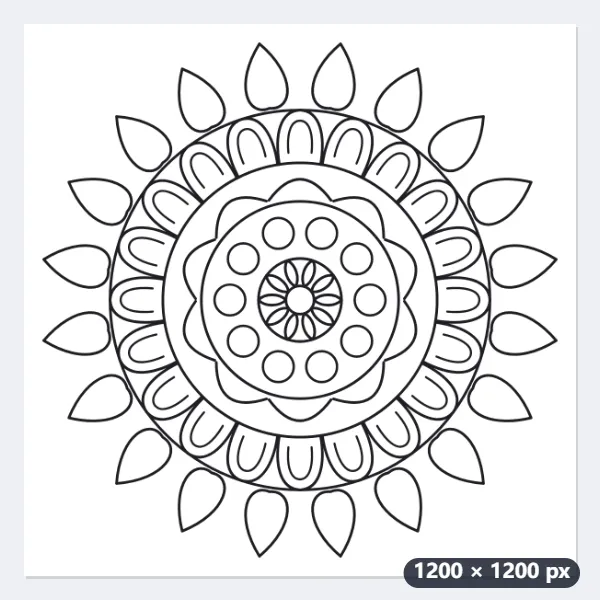
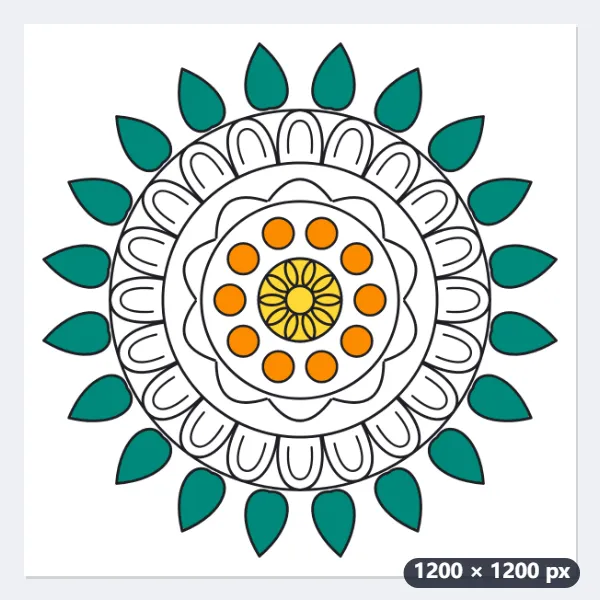
- Mandala 7 has about 95 closed spaces. Twenty drop-shaped petals go round the outside, a ring of 10 small circles sits halfway in, and a little ten-petal flower is in the middle.
- Fill: pick a teal and tap each outer drop — 20 taps, each drop about 7,700 pixels. Then the 10 circles in orange, each about 2,700 pixels.
- About 20 spaces are smaller than a 30 × 30 pixel square, the smallest about 440 pixels: zoom in (up to 4×) or use the brush at its smallest, 8 pixels.
- A wrong colour? Undo goes back up to 40 steps, or tap the space again with another colour — the whole space changes.
| Part of mandala 7 | Spaces | Size of each (pixels) |
|---|---|---|
| Drops round the edge | 20 | about 7,700 |
| Ring of small circles | 10 | about 2,700 |
| Background round the mandala | 1 | 47% of the picture |
| All closed spaces | about 95 | 440 to about 70,000 (bar the background) |
Save as PNG gives coloring-mandala-7.png, 1,200 × 1,200 pixels with the black lines on top. The work stays in this browser too, so picture 7 opens with your colours tomorrow.
How it works
- Choose mandalas, flowers, animals or patterns — or upload your own photo or drawing.
- Pick a colour and tap a space to fill it, or switch to the brush and paint; zoom in for small spaces.
- Save your picture as a PNG or print it; your colours are kept in this browser.
Frequently asked questions
- Can I colour my own photo?
- Yes — choose “Your own picture” and pick a photo: it is turned into line art in your browser, with a detail setting. A black-and-white drawing or a scanned colouring page can be used as it is.
- Why doesn’t the fill leak outside the lines?
- The fill stops at the lines and closes tiny gaps, and it reaches right under the edge of the line so no white rim is left.
- Is it good for children and for adults?
- Yes — animals, flowers and simple mandalas suit children; detailed mandalas and patterns are relaxing colouring for adults. Zoom in for the small spaces.
- Can I print a blank page instead?
- Use the printable mandala maker for blank pages to colour with pencils, or print your finished picture from here.
- Is my colouring kept if I close the page?
- Yes, in this browser: the work on the last six pictures you coloured is kept and comes back when you open that picture again. It is not stored anywhere else, so save a PNG to keep it for good or to move it to another device.
- Can I change a colour I have already filled?
- Yes — pick another colour and tap the same space: the whole space is filled again up to the lines. Undo goes back up to 40 steps, and “Start again” clears the colours (it can be undone too).
- Is anything uploaded?
- No. Pictures are drawn and coloured in your browser; your own photo never leaves your device.