Business card scanner
Cards read into contacts on your own machine, never handed to a service.
Drop files here
or click to choose from your deviceAccepted: JPG, JPEG, PNG, WEBP, AVIF, GIF, BMP, HEIC, HEIF
Up to 3 files per runUp to 20 MB per file5 runs per dayRemove limits with Pro✓ Works offline
Your files stay on your device
This tool runs entirely in your browser. Nothing is uploaded, nothing is stored, and you can even turn off your internet connection before you start.
Example
Two cards from a trade show, one with no company on it, into one .vcf and a spreadsheet
Back from a trade show with two cards (names, numbers and addresses invented): Jane Sample, Sales Director at Example Signs Ltd in Leeds, and Sam Example, a freelance photographer in Portland, Oregon. Both are photographed straight on. Settings: What you get “Both”, vCard 3.0, notes kept, Language of the text: English, European languages, Japanese, Chinese.
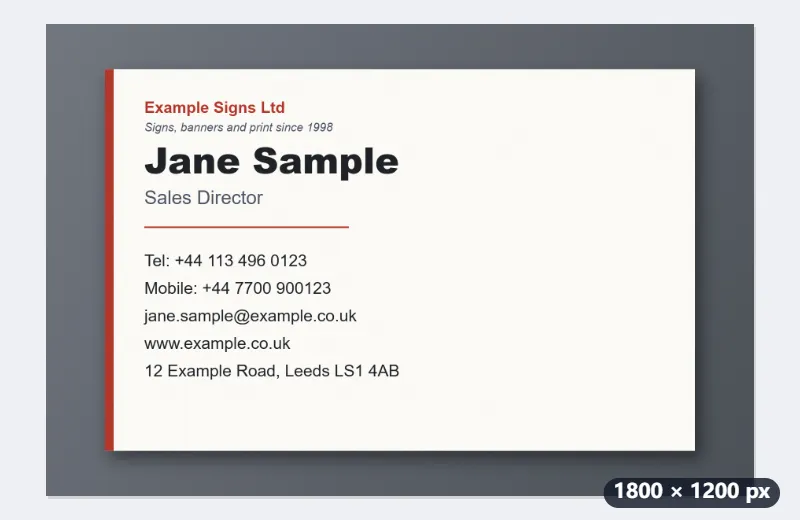
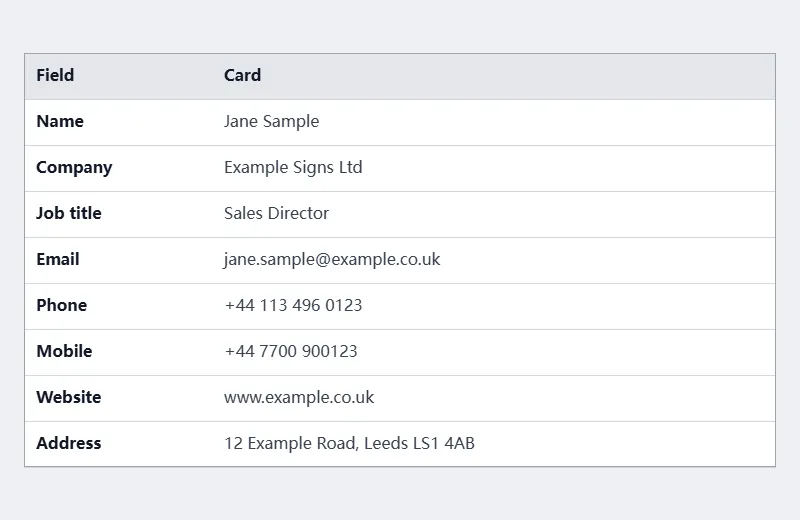
- First the lines that say what they are: email, website, numbers (“Tel:” is the work phone, “Mobile:” and “Cell” the mobile) and the address, found by the postcode LS1 4AB and the ZIP code 97201.
- On Jane’s card “Ltd” marks the company, “Director” the job title, and the largest line left is the name. The slogan “Signs, banners and print since 1998” fits no field and stays in the notes.
- Sam’s card names no company, so Company stays empty; “photographer” is one of the job words it knows, so “Freelance photographer” is the job title and Sam Example, the largest line left, the name.
- In the .vcf the name is split into Sample; Jane and the website gets https:// in front; the .csv keeps it as printed.
| Field | Card 1 | Card 2 |
|---|---|---|
| Name | Jane Sample | Sam Example |
| Company | Example Signs Ltd | — |
| Job title | Sales Director | Freelance photographer |
| Phone | +44 113 496 0123 | — |
| Mobile | +44 7700 900123 | (503) 555-0147 |
| jane.sample@example.co.uk | sam@example.com | |
| Website | www.example.co.uk | example.com/portfolio |
| Address | 12 Example Road, Leeds LS1 4AB | Portland, OR 97201 |
contacts.vcf with both contacts, one import, and contacts.csv with a comma-separated row per card: Name, Company, Job title, Email, Phone, Mobile, Fax, Website, Address, and Picture, the photo’s file name (IMG_0412.jpg), so a doubtful row can be checked against its card.
How it works
- Add photographs of the cards, one card to a picture. The free plan takes three a run.
- Choose a .vcf to import into a phone, a .csv for a spreadsheet or CRM, or both.
- Press Read the cards. The recogniser (about 8 MB) downloads the first time and is then already there.
- Open the file and check it before you import. What it read is a draft, and the one field it gets wrong is never the one you would have checked.
Frequently asked questions
- How does it know which line is the name?
- Mostly from the typesetting. The fields a machine can recognise — an email address, a website, a telephone number, a postcode — are taken out first, which leaves very little to guess about; of what is left, the company usually says so (Inc, GmbH, 株式会社) and the job title usually says so (Director, 部長, Müdür), and the largest remaining line is the name, because on nearly every card in the world the person's name is the largest thing on it. A card that breaks that convention will be read wrongly, which is why the result is a draft.
- Which languages can it read?
- Japanese and Chinese characters, kana, and the Latin alphabet with the accents of German, French, Spanish, Portuguese, Italian and Turkish. For a card in Korean, set “Language of the text” to Korean: that reads with a second recogniser, one that knows all 11,172 hangul syllables as well as the English and the numbers Korean cards mix in. It is a 3.7 MB download the first time. The standard recogniser has no hangul at all, so a Korean card read with it comes back empty.
- Can I do a whole stack at once?
- In batches. The free plan takes three photographs a run and five runs a day, so fifteen cards a day. Each run gives one .vcf holding every contact it read, which is one file to import, and a spreadsheet with one row per card. A card that could not be read is named in the result rather than silently dropped.
- What if it puts something in the wrong field?
- Everything it read goes into the contact’s notes as well, unless you turn that off, so a line it could not place, or placed wrongly, is still on the card where you can see it. The usual slip is a job title it does not recognise, such as “Dog groomer” on a card with no company: it is read as the company. Moving it is a matter of moving text, not of finding the card again.
- How should I photograph them?
- Straight on, filling the frame, in even light, with the card in focus. A phone held square over a card on a desk is fine; a card at an angle, half in shadow, or photographed from across the table often reads as nothing. A flatbed scan works best of all. If a card came out crooked, straighten it with Perspective correction first.
- How do I get the contacts into my phone or a spreadsheet?
- Open the .vcf on the phone, or import it in your address book or email program: vCard 3.0 is the version every one of them takes, and one file carries every card. The .csv is comma-separated UTF-8 with the column names in the first row, so a spreadsheet opens it with accents intact, and a CRM can map its columns on import.
- Are the photographs uploaded?
- No, and this is the tool where that matters most. A business card is somebody else's personal data, given to you in confidence; putting a stack of them through a service is a disclosure you have made on their behalf, and under the GDPR it is your disclosure to justify. Here the recogniser is fetched into your browser and the pictures are read on your own machine.