Copy the text from an image
Screenshots, scans and photos of documents become text you can copy, on your own device.
Drop files here
or click to choose from your deviceAccepted: JPG, JPEG, PNG, WEBP, AVIF, GIF, BMP, HEIC, HEIF
Up to 3 files per runUp to 20 MB per file5 runs per dayRemove limits with Pro✓ Works offline
Your files stay on your device
This tool runs entirely in your browser. Nothing is uploaded, nothing is stored, and you can even turn off your internet connection before you start.
Example
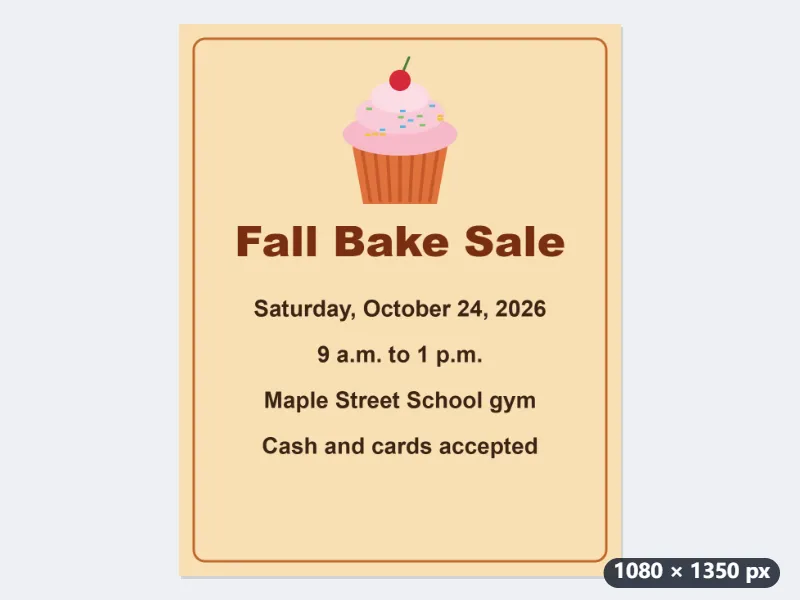
Example: the date, time and place copied from a flyer sent as a picture
The school’s bake-sale flyer arrived in a group chat as a picture, saved as flyer.png. Printed on it, one under another: Fall Bake Sale, Saturday, October 24, 2026, 9 a.m. to 1 p.m., Maple Street School gym, and Cash and cards accepted. Language of the text: English, European languages, Japanese, Chinese.
- The first time, the recognition models and their runtime, about 11 MB, are downloaded; after that, reading starts straight away.
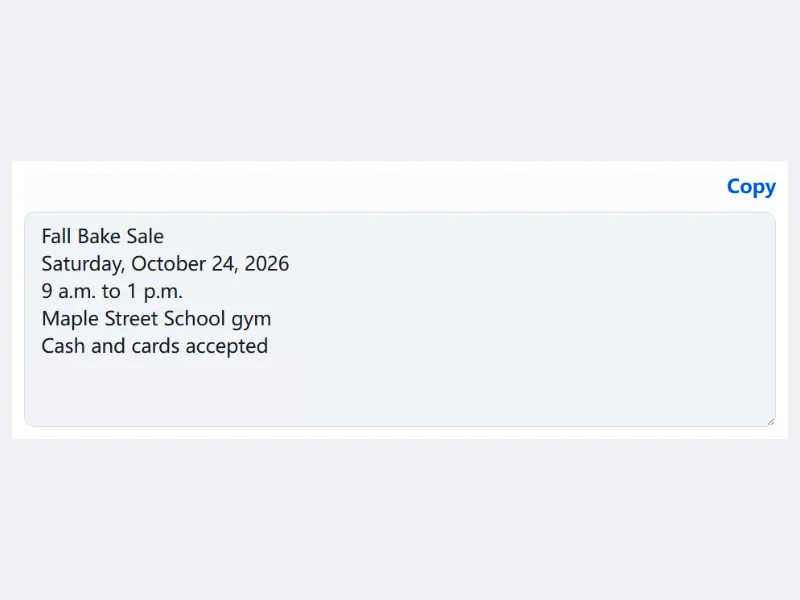
- The text comes back in the box line by line, in reading order, ready to check and copy.
- Paste the date and place into a calendar event. Check times and amounts against the picture before you rely on them: a misread digit is easy to miss.
The flyer’s five lines as plain text in the box, and flyer.txt to download. The picture is read on the phone or computer it was opened on and is never uploaded.
How it works
- Drop a screenshot, a scan or a photo of a printed document. Up to three images can be read in one run.
- Press Extract text. The first time, the text recognition models and their runtime (about 11 MB) are downloaded.
- Check the text in the box and press Copy, or download it as a .txt file.
- For the best results, photograph the page straight on in even light, so the lines or columns run straight.
Frequently asked questions
- Which text can it read?
- Printed Japanese, English, German, French, Spanish, Italian, Portuguese and Turkish: documents, receipts, invoices, screenshots of apps and web pages, and vertical Japanese (tategaki) such as novels and letters, which is recognised automatically. Handwriting may not be read correctly.
- How accurate is it?
- On our test pages of printed Japanese documents, fewer than 1 character in 100 was wrong on scans, screenshots and phone photos taken straight on, and about 2 in 100 on vertical pages, mostly 、 and 。 left out. Pages in German, French, Spanish, Italian and Portuguese also stayed under 1 in 100; Turkish was about 1 to 2, mostly ı and İ read as i or I. Symbols such as ※ and ■ are often dropped too, and horizontal pages set in several columns can come out with the columns mixed, so check the result before you use it.
- Is my image uploaded?
- No. The recognition models run in your browser, so the picture and its text stay on your device. The models are downloaded once; after that, reading starts straight away and works offline.
- How long does it take?
- A page full of text takes about 5 to 10 seconds on a fast computer and longer on older laptops and phones. A screenshot with a few lines takes a second or two.
- Does it work on a phone screenshot?
- Yes. Open this page in the phone’s browser and choose the screenshot from your photos; it is read on the phone itself. Crop away the status bar and buttons first if you only want the message.
- What is in the download?
- A .txt file for each picture, named after it: flyer.png gives flyer.txt. Up to three pictures can be read in one run, each with its own file.
- What are the free limits?
- The free plan handles 3 images per run, 20 MB each and 5 runs per day. Pro removes these limits.