Value study from a photo
Light, middle and dark: the picture before the colour.
Drop files here
or click to choose from your deviceAccepted: JPG, JPEG, PNG, WEBP, AVIF, GIF, BMP, HEIC, HEIF
Up to 3 files per runUp to 20 MB per file5 runs per dayRemove limits with Pro✓ Works offline
Your files stay on your device
This tool runs entirely in your browser. Nothing is uploaded, nothing is stored, and you can even turn off your internet connection before you start.
Example
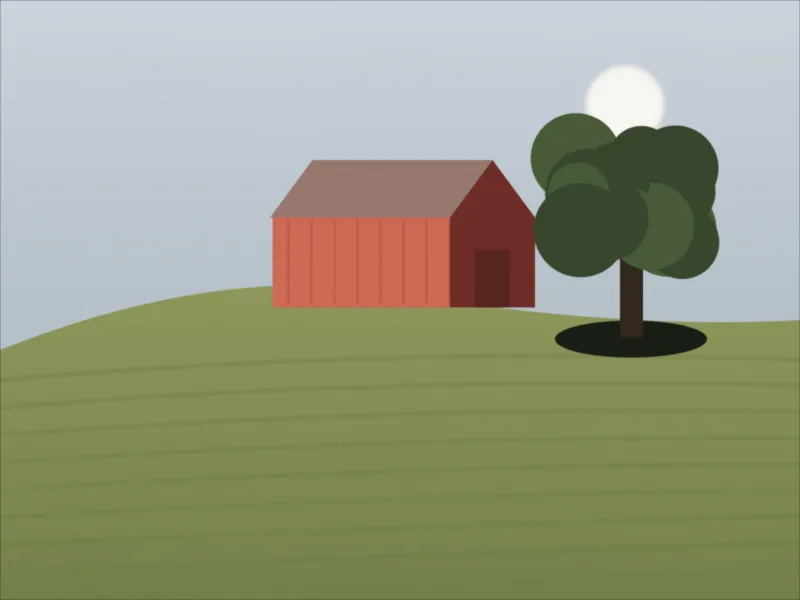
Example: a hazy farm photo turned into a three-value study before painting
A watercolour painter plans a red barn on a hill from her reference photo, barn.jpg, 1600 × 1200 pixels, taken on a hazy morning. On a brightness scale of 0–255, 1 % of its pixels are darker than 40 and 1 % lighter than 210. Settings: 3 — light, middle, dark; Simplify: A little; Save as: the same format.
- The photo is turned to brightness and blurred a little first, a 2-pixel radius at this size (5 with “A lot”), so grass and leaves do not break into specks.
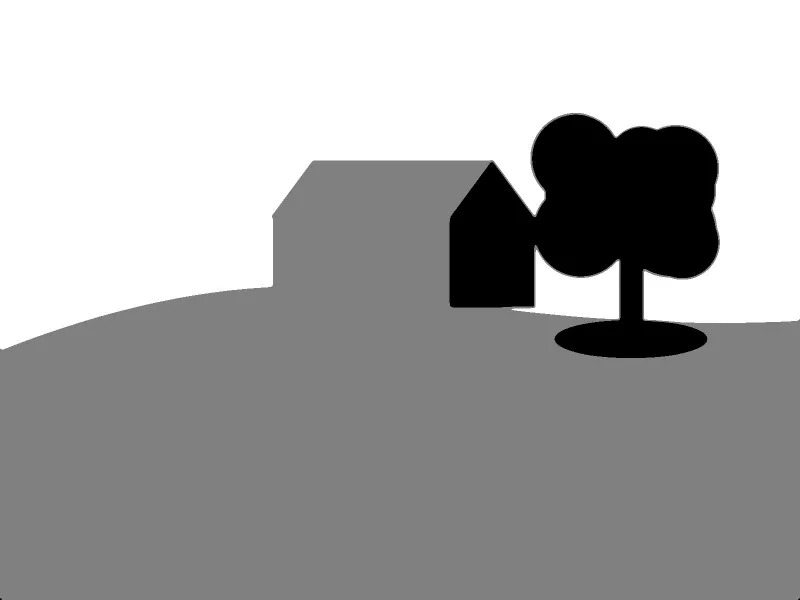
- Its own range, 40 to 210, is cut into three equal bands: 40–96 becomes black, 97–153 middle grey (128), 154–210 white. The 1 % beyond each end joins the black or the white.
- The pale sky turns white; the sunlit field and the barn’s sunlit red wall turn middle grey; the barn’s shaded end wall and the dark oak beside it turn black.
- Try 2 — notan to check the big design: everything up to 124 goes black, 125 and lighter white.
| Values | Brightness bands in this photo | Painted as |
|---|---|---|
| 2 — notan | 40–124 · 125–210 | black, white |
| 3 — light, middle, dark | 40–96 · 97–153 · 154–210 | black, grey 128, white |
| 5 | 40–73 · 74–107 · 108–141 · 142–175 · 176–210 | greys 0, 64, 128, 191, 255 |
barn-3-values.jpg, still 1600 × 1200, in three flat greys: the barn reads as one grey shape with a black end, against a white sky. A hazy photo still gets full black and white because its own range is stretched, which is what a plan for a painting needs.
How it works
- Add your reference photo.
- Start with three values; try two to see the big design.
- Simplify a lot to see shapes rather than details.
- Make the study and keep it beside your painting.
Frequently asked questions
- Why do painters make value studies?
- Because values carry a picture: if the lights and darks are right, the colour can be almost anything and it still reads. A small study in three values shows whether the composition works before any paint is mixed.
- What is notan?
- A study in two values, light and dark only, from Japanese design. It shows the big pattern of a picture at a glance.
- Why does my dull photo still get black and white?
- The values are taken from the photo's own range, from its darkest to its lightest, so a grey, hazy picture is spread out to full contrast. That is what you want for planning.
- How is this different from a black-and-white photo?
- A grayscale photo keeps 256 greys; a value study keeps two to eight. Every pixel is snapped to one of them: with three values to black, middle grey (128) or white, the bands being equal thirds of the photo’s own range from its darkest 1 % to its lightest 1 %, so one glint or one black speck does not decide them.
- Can I keep the colours?
- Not on this page, which is for value studies in grey. For flat colours use Posterize an image, which cuts each colour channel into 2 to 8 levels.