Halftone generator
Grey made of dots, the way print does it.
Drop files here
or click to choose from your deviceAccepted: JPG, JPEG, PNG, WEBP, AVIF, GIF, BMP, HEIC, HEIF
Up to 3 files per runUp to 20 MB per file5 runs per dayRemove limits with Pro✓ Works offline
Your files stay on your device
This tool runs entirely in your browser. Nothing is uploaded, nothing is stored, and you can even turn off your internet connection before you start.
Example
Example: a shaded ball turned into black dots on the Medium screen
The picture: 800 × 800 px, a ball 600 px across shaded from light grey at the top left to black at the bottom right, on white. Keep Dots, Medium, 45° and black ink on white.
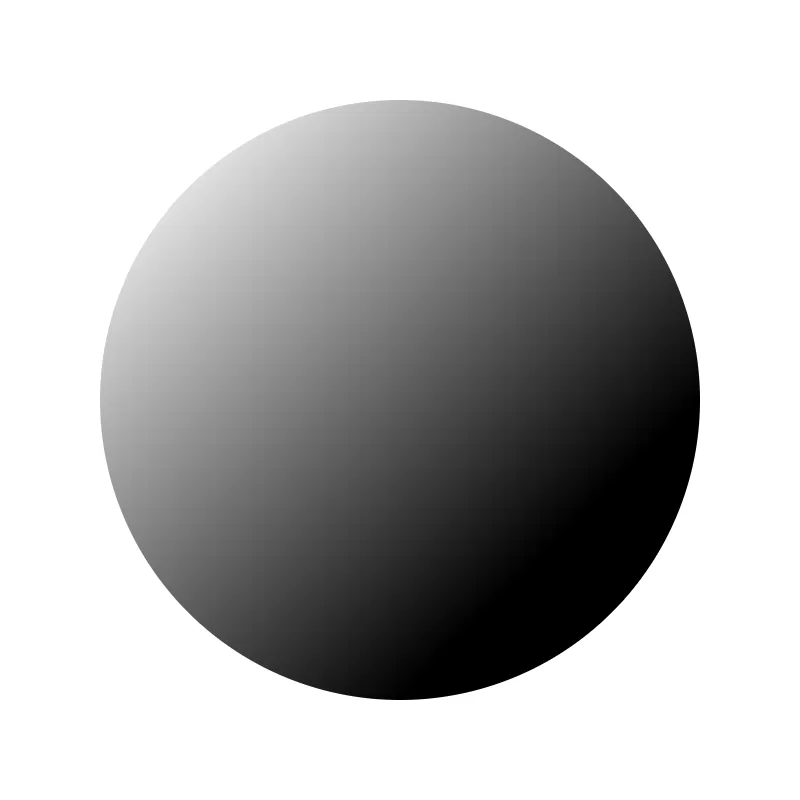
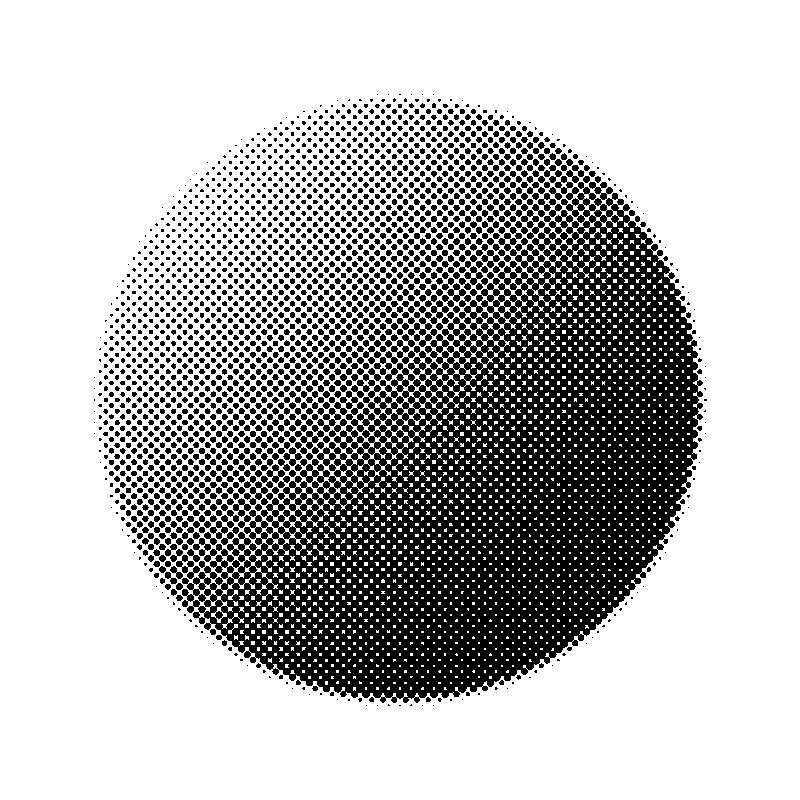
- The screen counts cells across the longer side: Medium is 100, so each cell is 800 ÷ 100 = 8 px, in rows turned 45°.
- Each dot covers as much of its cell as the picture is dark there: a 25 % grey gets a dot 4.5 px across, 50 % one 6.4 px, 75 % one 7.8 px.
- In the black part the dots reach 9 px, wider than the 8 px cell, and merge into almost solid black with tiny white specks between them; the white background gets no dots at all.
| Screen | Cells across | Cell on 800 px | Cell on a 3000 px design |
|---|---|---|---|
| Fine | 150 | 5.3 px | 20 px |
| Medium | 100 | 8 px | 30 px |
| Coarse | 60 | 13.3 px | 50 px |
| Very coarse | 35 | 22.9 px | 85.7 px |
A PNG named after the picture with -halftone. For DTF, choose the Transparent background: the space between the dots is then left empty, so the shirt shows through instead of white film.
How it works
- Add the picture.
- Choose dots or lines and how coarse the screen is.
- For DTF or a screen, choose black ink on a transparent background.
- Make the halftone and download the PNG.
Frequently asked questions
- What is a halftone?
- Printing with one ink can only put ink down or not, so grey is made from dots: big dots where it is dark, small ones where it is light. Seen from a distance, the dots blend into shades.
- Why do DTF printers use halftones?
- Soft shadows and fades do not transfer well as semi-transparent ink, and a solid block of film is stiff on a shirt. A halftone turns them into dots of solid ink, which print cleanly and let the fabric breathe.
- Why is 45° the usual angle?
- The eye notices rows of dots least on the diagonal, so a screen turned 45° looks smoothest. Other angles are there for effects and for layering colours.
- Is the screen size in lines per inch?
- No: it counts cells across the picture’s longer side — Fine 150, Medium 100, Coarse 60, Very coarse 35 — so the look is the same whatever the pixel size. For dots per inch, divide by the print width: Medium on a design printed 10 in wide is 10 per inch.
- Can I keep the picture’s colours?
- Yes: choose The picture’s own colours as the ink, and each dot takes the colour of the picture under it, on white or on a transparent background.
- Is it uploaded anywhere?
- No. The dots are drawn in your browser.
Related tools
◧ Posterize an image Flat bands of colour, like a screen print. ⬚ Remove white background White paper or one plain colour becomes transparent; lines and letters keep their smooth edges. ✎ Photo to line drawing Flat areas go white and only the lines stay — as pencil or as clean ink. ◇ Converters Image to SVG A picture traced into outlines that stay sharp at any size.